跳转到主内容
加入维修社区 - 创建账户

ArmorAll AA255 Power Cord Replacement

你所需要的

  1. ArmorAll AA255 Power Cord Replacement, Lower Motor Housing: 步骤 1 中的图像 1,1
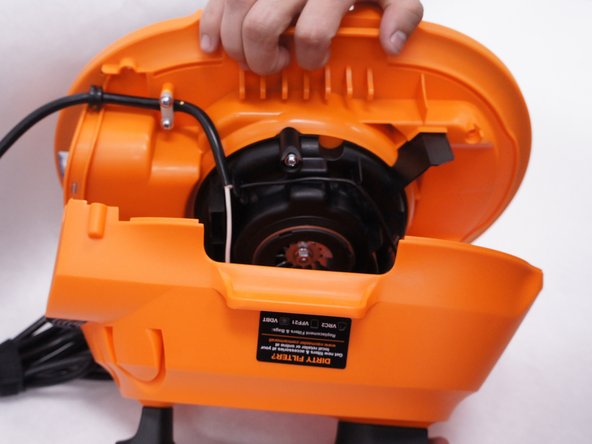
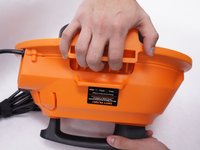
    • Remove the orange main housing unit from the vacuum bucket by pulling outward on the handle tabs while lifting upward as shown.

    询问修复机器人
  2. ArmorAll AA255 Power Cord Replacement: 步骤 2 中的图像 1,1
    • Remove the five 15mm PH2 screws.

    询问修复机器人
  3. ArmorAll AA255 Power Cord Replacement: 步骤 3 中的图像 1,1
    • Remove the 15 mm T20 screw. This screw is located nearest the power cord.

    询问修复机器人
  4. ArmorAll AA255 Power Cord Replacement: 步骤 4 中的图像 1,2 ArmorAll AA255 Power Cord Replacement: 步骤 4 中的图像 2,2
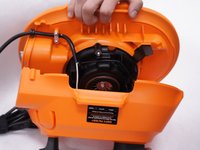
    • Gently separate the upper and lower sections of the main housing.

  5. ArmorAll AA255 Power Cord Replacement, Power Cord: 步骤 5 中的图像 1,1
    • Pull the black wire from the power cord out of the switch.

    • There are no clips or tabs that hold this wire in place. Just pull strongly to remove it.

    • Don't remove both black wires. Only the black wire that comes from the power cord itself needs to be removed. The one going to the motor can be left alone.

    询问修复机器人
  6. ArmorAll AA255 Power Cord Replacement: 步骤 6 中的图像 1,1
    • Remove the five 15mm screws from the plastic motor cover and power cord clamp using a PH2 screwdriver.

    询问修复机器人
  7. ArmorAll AA255 Power Cord Replacement: 步骤 7 中的图像 1,2 ArmorAll AA255 Power Cord Replacement: 步骤 7 中的图像 2,2
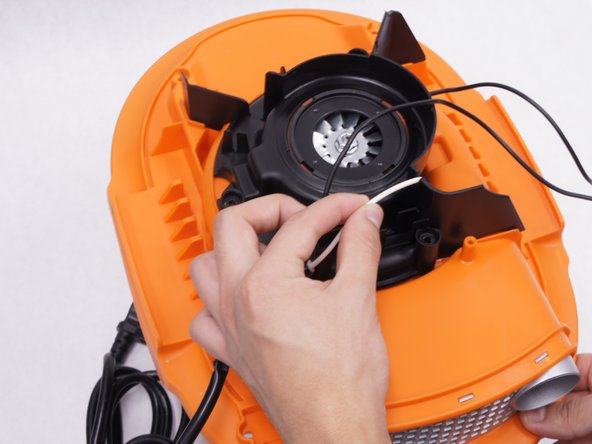
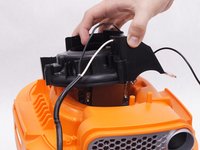
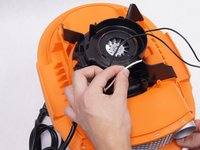
    • Remove the plastic motor cover.

    • Be sure to loosen the white wire from the notch in the plastic motor cover by pulling it upwards.

    询问修复机器人
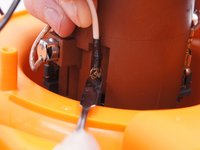
  8. ArmorAll AA255 Power Cord Replacement: 步骤 8 中的图像 1,2 ArmorAll AA255 Power Cord Replacement: 步骤 8 中的图像 2,2
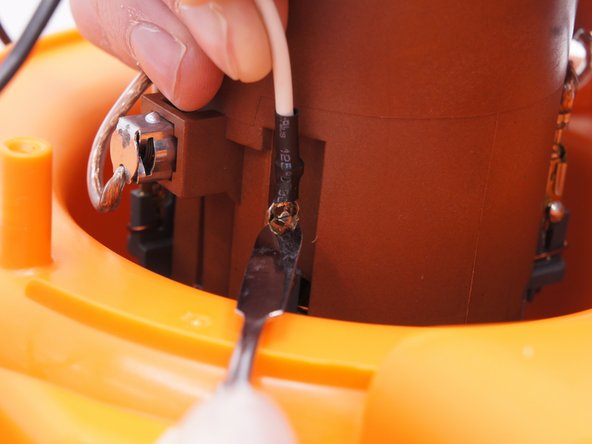
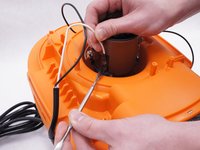
    • Detach the white wire from the motor by pulling upwards on the wire as you depress the small metal tab on the connector with a nylon spudger.

    • When working with electronics, it's important to choose a tool that's ESD-safe to avoid accidental damage to the device. The regular black nylon spudger or a plastic opening tool should be used whenever possible.

    询问修复机器人
结论

To reassemble your device, follow these instructions in reverse order.

3等其他人完成本指南。

团队

IUPUI, Team 2-1, Baechle Spring 2016 IUPUI, Team 2-1, Baechle Spring 2016 的会员

IUPUI-BAECHLE-S16S2G1

4 名成员

创作了6篇指南

0指南评论

添加评论

浏览统计数据:

过去 24 小时: 0

过去 7 天: 11

过去 30 天: 69

总计 1,448