此翻译由机器生成,尚未经过人工审核。 会说这种语言吗? 查看评论。

Apple Wireless Keyboard 电池更换

浏览量: 12万
浏览统计数据:
- 过去24小时
- 19
- 过去 7 天:
- 116
- 过去 30 天:
- 496
- 总计
- 122,435
评论: 8
3 comments on steps, 5 guide comments.
Go to guide comments已完成: 35 36
35 人已将本指南标记为“已完成”。你会是下一个完成的人吗?
36 人已将本指南标记为“已完成”。包括你——干的漂亮!
收藏: 20 21
20 人已收藏(并订阅)本指南。你会是下一个吗?
21 人收藏(并订阅)了本指南——这其中包括你!
特色指南
iFixit的工作人员认为该指南特别酷。
社区贡献指南
我们社区的一个非常棒的成员制作了本指南。它不是由 iFixit 工作人员创建的。


 询问修复机器人
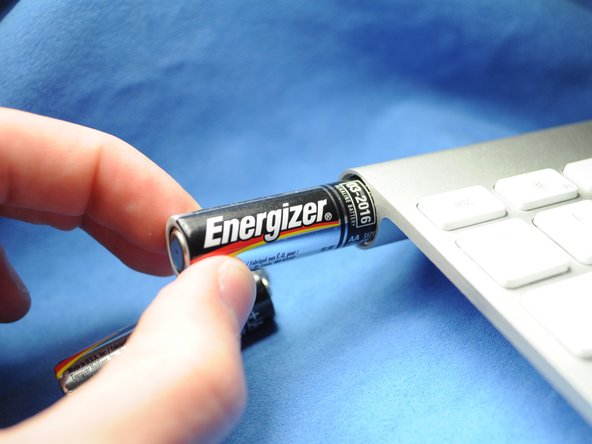
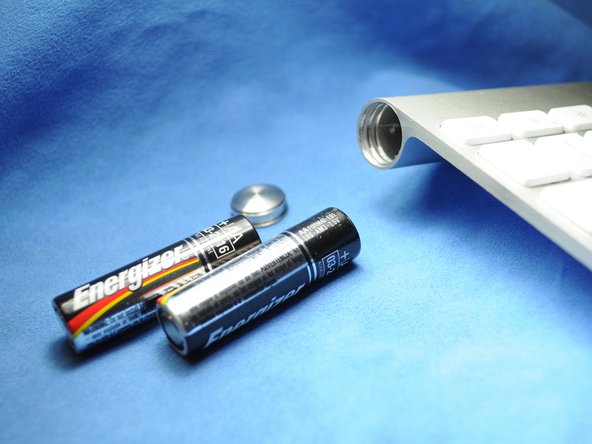

要重新组装设备,请按相反顺序执行这些说明。
35等其他人完成本指南。


5指南评论
This works great - as long as the batteries inside did not leak and create a permanent seal for the cap. I managed to get the keyboard working again by removing the batteries through the electronics compartment (remove grey center cover, slide electronics out). It did take some effort (including driving a screw into the stuck battery and yanking it out with pliers) to remove the stuck batteries and all the remains of the leakage, but I ended up with a working keyboard. Only thing is that I need to use the 'backdoor' every time my batteries need replacing, since the battery cover is permanently sealed...
Also have a perma sealed battery cover. Poured vinegar in from middle and let soak over night. Wanna drill into coin slot to try and remove cover but need to get batteries out first. Can I just remove the one screw from logic board and disconnect ribbon cable, to have it slide out the power button end? How careful w cable? Looks like it has 2 tiny clips, do these need to be addressed or can I just pry it off?
