跳转到主内容
加入维修社区 - 创建账户

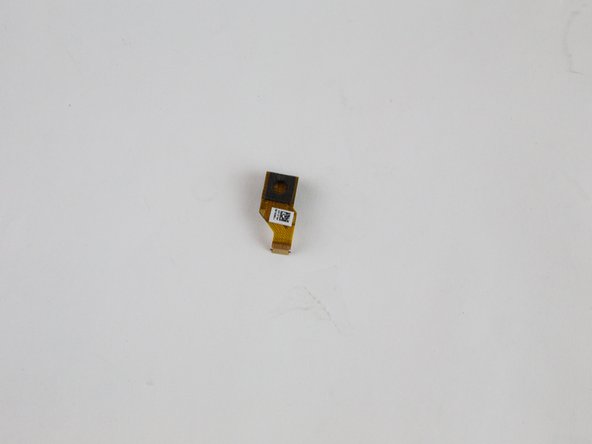
Amazon Fire HD 10 Rear Facing Camera Replacement

你所需要的

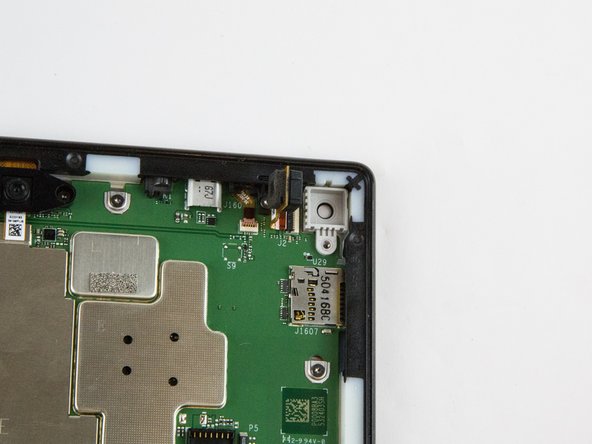
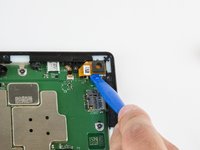
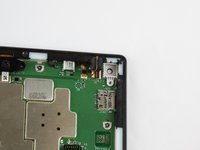
    1. Amazon Fire HD 10 Rear Facing Camera Replacement, Screen: 步骤 1 中的图像 1,3 Amazon Fire HD 10 Rear Facing Camera Replacement, Screen: 步骤 1 中的图像 2,3 Amazon Fire HD 10 Rear Facing Camera Replacement, Screen: 步骤 1 中的图像 3,3
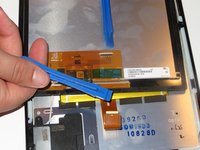
      • Avoid prying near bottom right hand side due to LCD Connector

      • Use a plastic opening tool to pry the screen up in the right hand corner.

      添加评论

    2. Amazon Fire HD 10 Rear Facing Camera Replacement: 步骤 2 中的图像 1,1
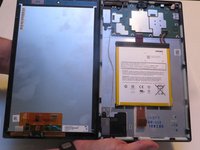
      • Do not completely remove the screen yet as there is a ZIF connector connected.

      • Lift the screen and digitizer from the case.

      • You may need to use some force due to the glue.

      添加评论

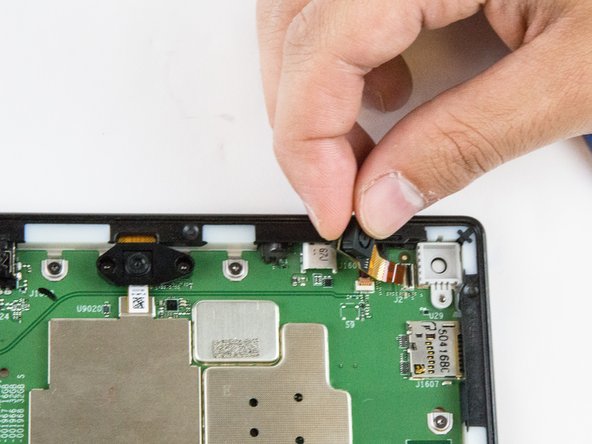
    3. Amazon Fire HD 10 Rear Facing Camera Replacement: 步骤 3 中的图像 1,2 Amazon Fire HD 10 Rear Facing Camera Replacement: 步骤 3 中的图像 2,2
      • Be mindful of the ZIF connector.

      • Disconnect the ribbon connector from the digitizer side using your hands or the plastic opening tool.

      询问修复机器人

      添加评论

    4. Amazon Fire HD 10 Rear Facing Camera Replacement: 步骤 4 中的图像 1,1
      • Remove the screen and digitizer from the case completely.

      询问修复机器人

      添加评论

    1. Amazon Fire HD 10 Rear Facing Camera Replacement, Rear Facing Camera: 步骤 5 中的图像 1,2 Amazon Fire HD 10 Rear Facing Camera Replacement, Rear Facing Camera: 步骤 5 中的图像 2,2
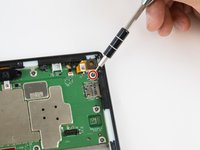
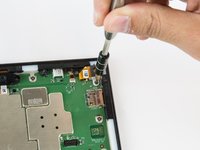
      • Remove the single T5 Torx screw at the base of the camera.

      • Once removed, place the screw aside in a safe location.

      询问修复机器人

      添加评论

    2. Amazon Fire HD 10 Rear Facing Camera Replacement: 步骤 6 中的图像 1,2 Amazon Fire HD 10 Rear Facing Camera Replacement: 步骤 6 中的图像 2,2
      • Lift the camera from the case using the plastic opening tool.

      • The camera is still connected to the motherboard via the ZIF connector.

      询问修复机器人

      添加评论

    3. Amazon Fire HD 10 Rear Facing Camera Replacement: 步骤 7 中的图像 1,2 Amazon Fire HD 10 Rear Facing Camera Replacement: 步骤 7 中的图像 2,2
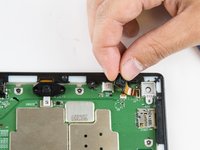
      • Gently grab the camera and pull to remove.

      • The camera is now free from the motherboard.

      询问修复机器人

      添加评论

结论

To reassemble your device, follow these instructions in reverse order.

取消:我没有完成这个指南。

2等其他人完成本指南。

Jaie Hillery

于10/07/14注册

1,774 声望

创作了10篇指南

团队

USF Tampa, Team 16-6, Blackwell Winter 2016 USF Tampa, Team 16-6, Blackwell Winter 2016 的会员

USFT-BLACKWELL-W16S16G6

3 名成员

创作了72篇指南

0指南评论

添加评论

浏览统计数据:

过去 24 小时: 1

过去 7 天: 8

过去 30 天: 36

总计 1,260