跳转到主内容
加入维修社区 - 创建账户

Amazon Echo Show 5-Megapixel Camera Replacement

你所需要的

  1. Amazon Echo Show 5-Megapixel Camera  Replacement, Camera: 步骤 1 中的图像 1,2 Amazon Echo Show 5-Megapixel Camera  Replacement, Camera: 步骤 1 中的图像 2,2
    • Use the plastic opening tool to gently lift the plastic protector from the screen.

    询问修复机器人

    添加评论

  2. Amazon Echo Show 5-Megapixel Camera  Replacement: 步骤 2 中的图像 1,2 Amazon Echo Show 5-Megapixel Camera  Replacement: 步骤 2 中的图像 2,2
    • After the protector has been removed, use your hands to gently remove the taped-in rubber foot from device.

    询问修复机器人

    添加评论

  3. Amazon Echo Show 5-Megapixel Camera  Replacement: 步骤 3 中的图像 1,1
    • Carefully peel off the bottom pad to expose the fastening screws.

    • Remove three silver 1.4 T5 Torx screws on the top row.

    • Remove one green 1mm T5 Torx screw in the middle.

    • Remove a black 1.5mm T5 screw.

    • Remove three green 1mm T5 screws from the bottom row.

    询问修复机器人

    添加评论

  4. Amazon Echo Show 5-Megapixel Camera  Replacement: 步骤 4 中的图像 1,3 Amazon Echo Show 5-Megapixel Camera  Replacement: 步骤 4 中的图像 2,3 Amazon Echo Show 5-Megapixel Camera  Replacement: 步骤 4 中的图像 3,3
    在这个步骤中使用的工具:
    Tweezers
    $4.99
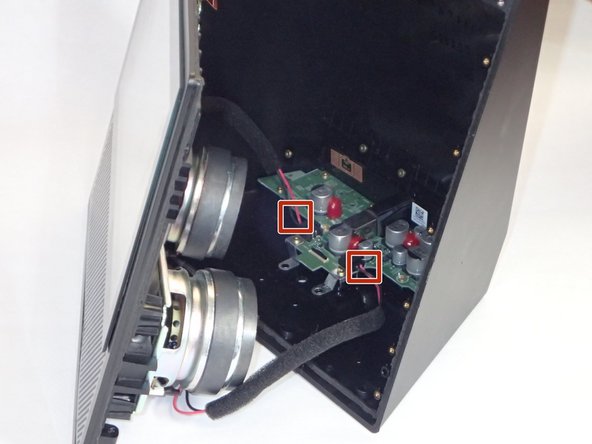
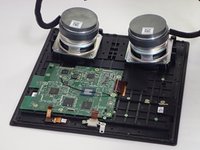
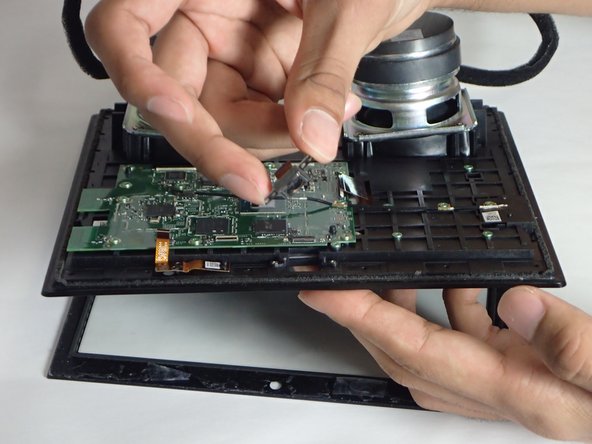
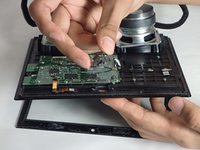
    • After the screws are removed, grip the front panel and separate the front from the back. This will expose the inside of the device.

    • Make sure to ground yourself against a metal object nearby (ex. a metal chair, a door frame) before you touch any circuitry. An accidental static discharge can permanently damage a circuitboard.

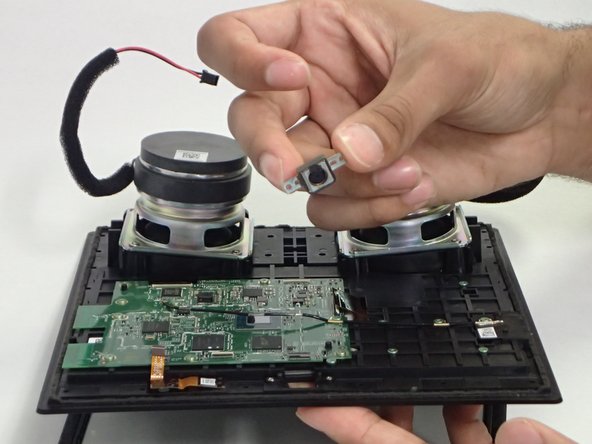
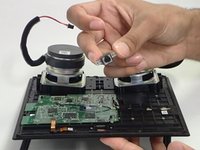
    • Use tweezers or your hands to carefully disconnect the red wires connecting the speakers to the power supply board.

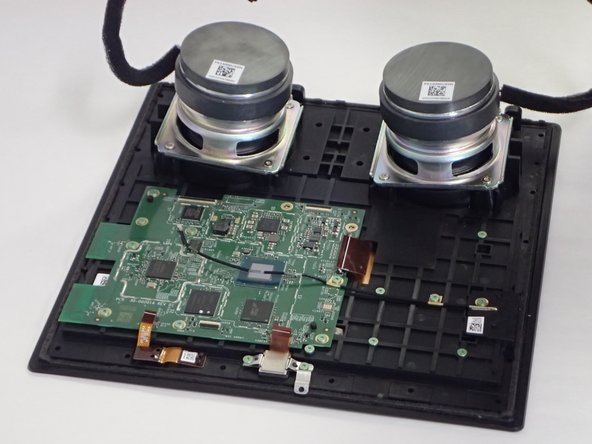
    • Lay the front section flat, with the screen down.

    询问修复机器人

    添加评论

  5. Amazon Echo Show 5-Megapixel Camera  Replacement: 步骤 5 中的图像 1,3 Amazon Echo Show 5-Megapixel Camera  Replacement: 步骤 5 中的图像 2,3 Amazon Echo Show 5-Megapixel Camera  Replacement: 步骤 5 中的图像 3,3
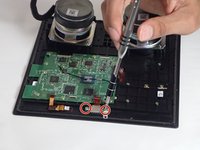
    • Remove two 1mm T5 Torx screws.

    • Once the screws have been removed, you can easily remove the camera from the device.

    询问修复机器人

    添加评论

结论

To reassemble your device, follow these instructions in reverse order.

取消:我没有完成这个指南。

1指南评论

Can not reset amazon echo show model MW46WB tried everything any suggestions

Skippy Gessler - 回复 分享

添加评论

浏览统计数据:

过去 24 小时: 0

过去 7 天: 10

过去 30 天: 29

总计 2,521