跳转到主内容
加入维修社区 - 创建账户

ASUS X502CA Screen Replacement

你所需要的

    1. ASUS X502CA Screen Replacement, Screen: 步骤 1 中的图像 1,2 ASUS X502CA Screen Replacement, Screen: 步骤 1 中的图像 2,2
      在这个步骤中使用的工具:
      Tweezers
      $4.99
      • Remove plastic square covers on both bottom corners exposing the screws below using tweezers.

      • Remove the screws under the plastic square covers, using a Phillips #00 screwdriver.

      • Screws are black, 50mm in lenght with a 20mm diameter.

      询问修复机器人

      添加评论

    2. ASUS X502CA Screen Replacement: 步骤 2 中的图像 1,2 ASUS X502CA Screen Replacement: 步骤 2 中的图像 2,2
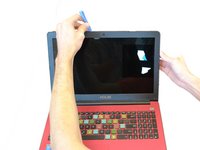
      • Remove the trim from the monitor by using the Plastic Opening Tool to carefully pop off the clips around the parameter.

      询问修复机器人

      添加评论

    3. ASUS X502CA Screen Replacement: 步骤 3 中的图像 1,2 ASUS X502CA Screen Replacement: 步骤 3 中的图像 2,2
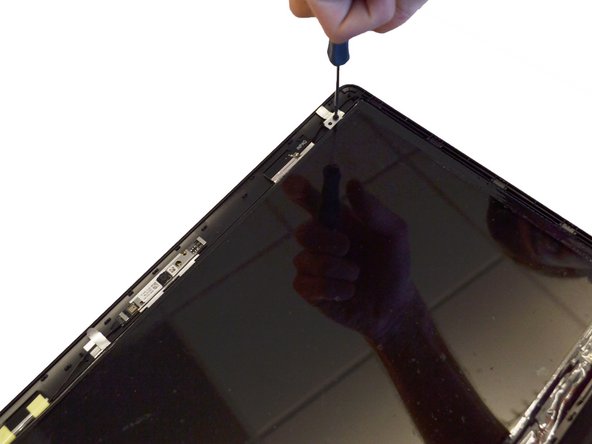
      • Remove the four phillips screws (two on top and two on bottom) using the Phillips #00 screwdriver.

      • The screws are black, 45mm long and 15mm in diameter with a philips head

      询问修复机器人

      添加评论

    4. ASUS X502CA Screen Replacement: 步骤 4 中的图像 1,2 ASUS X502CA Screen Replacement: 步骤 4 中的图像 2,2
      • Pop the screen out from the top and lay flat on the keyboard.

      • Do not pull screen away from keyboard, as it is still attached by a wire at the bottom.

      询问修复机器人

      添加评论

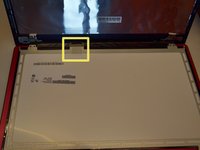
    5. ASUS X502CA Screen Replacement: 步骤 5 中的图像 1,2 ASUS X502CA Screen Replacement: 步骤 5 中的图像 2,2
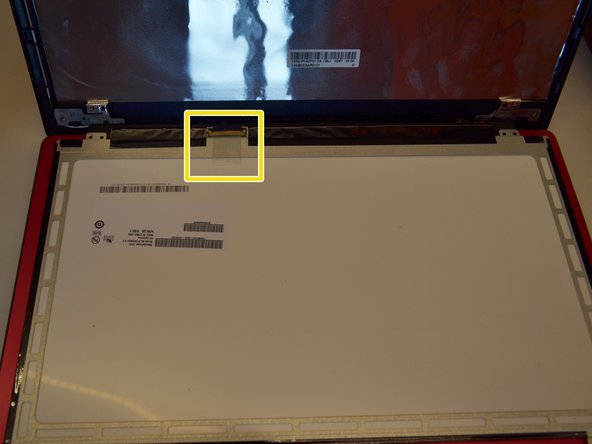
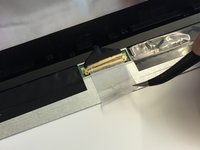
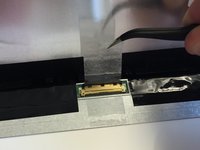
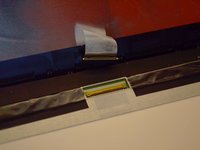
      • Peel off the clear tape that is securing the video cable connector using your fingers or tweezers.

      询问修复机器人

      添加评论

    6. ASUS X502CA Screen Replacement: 步骤 6 中的图像 1,2 ASUS X502CA Screen Replacement: 步骤 6 中的图像 2,2
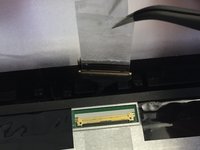
      • Unplug the screen using tweezers.

      询问修复机器人

      添加评论

    7. ASUS X502CA Screen Replacement: 步骤 7 中的图像 1,1
      • Replace the damage screen with a new one.

      • Replacing the bezel trim requires the bottom to be inside the ends of the hinge cover. Be careful not to break the bezel when doing this.

      • Removing the hinge cover has a chance of breaking the tabs that hold it on. Remove it carefully.

      询问修复机器人

      添加评论

结论

To reassemble your device, follow these instructions in reverse order.

取消:我没有完成这个指南。

3等其他人完成本指南。

团队

Clemson, Team 14-1, Shirley Winter 2015 Clemson, Team 14-1, Shirley Winter 2015 的会员

CLEM-SHIRLEY-W15S14G1

5 名成员

创作了35篇指南

0指南评论

添加评论

浏览统计数据:

过去 24 小时: 3

过去 7 天: 12

过去 30 天: 48

总计 3,803