简介
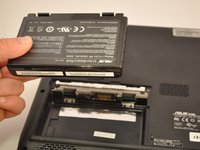
Batteries get old and stop holding a charge. This guide will show you how to remove and replace that bad battery.
你所需要的
-
-
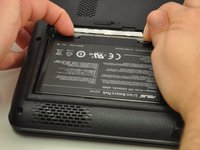
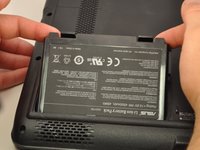
Slide the tab over to unlock the battery cover located on the bottom-left corner of the laptop.
 询问修复机器人
-
-


结论
To reassemble your device, follow these instructions in reverse order.
另外一个人完成了本指南。

团队

Eastern Washington University, Team S1-G3, Carnegie Fall 2017 Eastern Washington University, Team S1-G3, Carnegie Fall 2017 的会员
EWU-CARNEGIE-F17S1G3
4 名成员
创作了5篇指南
