跳转到主内容
加入维修社区 - 创建账户

ASUS EEE PC701SD-WHI004X RAM Replacement

你所需要的

  1. ASUS EEE PC701SD-WHI004X RAM Replacement, Battery: 步骤 1 中的图像 1,2 ASUS EEE PC701SD-WHI004X RAM Replacement, Battery: 步骤 1 中的图像 2,2
    • Flip the laptop over, you should see two battery tabs.

    • Slide the right tab towards the right. The orange dot should be visible. This tab will be locked open.

    询问修复机器人
  2. ASUS EEE PC701SD-WHI004X RAM Replacement: 步骤 2 中的图像 1,2 ASUS EEE PC701SD-WHI004X RAM Replacement: 步骤 2 中的图像 2,2
    • While holding the left tab towards the left. Gently slide the battery out of the laptop.

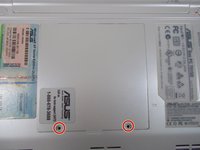
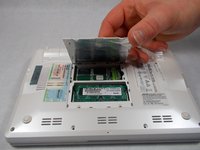
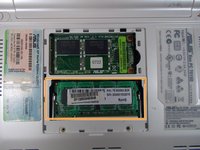
  3. ASUS EEE PC701SD-WHI004X RAM Replacement, RAM: 步骤 3 中的图像 1,3 ASUS EEE PC701SD-WHI004X RAM Replacement, RAM: 步骤 3 中的图像 2,3 ASUS EEE PC701SD-WHI004X RAM Replacement, RAM: 步骤 3 中的图像 3,3
    • Remove the two 2.5mm Phillips #1 screws.

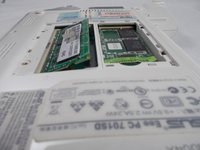
    • Remove back panel by lifting the tab, this will expose the RAM.

    询问修复机器人
  4. ASUS EEE PC701SD-WHI004X RAM Replacement: 步骤 4 中的图像 1,3 ASUS EEE PC701SD-WHI004X RAM Replacement: 步骤 4 中的图像 2,3 ASUS EEE PC701SD-WHI004X RAM Replacement: 步骤 4 中的图像 3,3
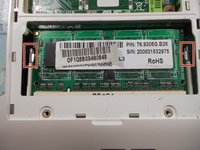
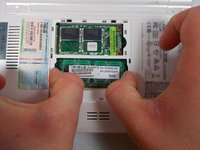
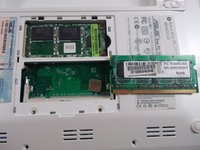
    • Gently push the metal tabs outwards, this will allow the RAM to pop up.

    询问修复机器人
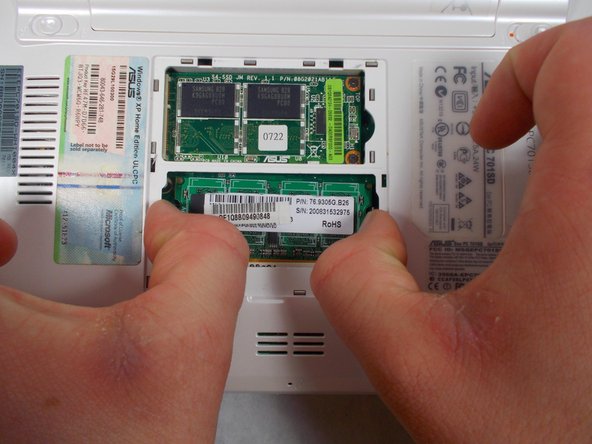
  5. ASUS EEE PC701SD-WHI004X RAM Replacement: 步骤 5 中的图像 1,2 ASUS EEE PC701SD-WHI004X RAM Replacement: 步骤 5 中的图像 2,2
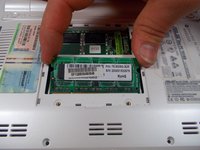
    • Remove the RAM stick by grabbing it on the sides and gently pulling the stick out of its slot.

    询问修复机器人
结论

To reassemble your device, follow these instructions in reverse order.

Vinny Micale

于03/21/17注册

225 声望

创作了2篇指南

团队

0指南评论

添加评论

浏览统计数据:

过去 24 小时: 1

过去 7 天: 6

过去 30 天: 31

总计 635