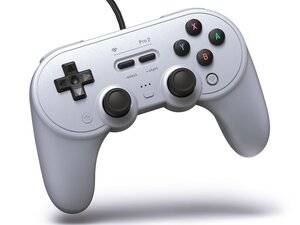
Joystick Board
热门论坛问题
提问这里还没有问题。成为第一个提问者吧!
文档
工具
下方列出了维修此类别设备所需的主要工具。当然,并不是所有维修流程都需要备齐这个清单。
Changing Modes
The controller can be set in three modes: Switch, PC (X-input), and Android (D-input).
Switch mode is the default when connected to the Switch and Switch 2. It can be selected for PC use by holding the "Y" (left) button when powered on. It disables analog trigger input.
X-input mode is the default for PC use. It can be selected by holding the "X" (up) button.
D-input mode is the default for Android use. It can be selected by holding the "B" (down) button. It disables analog trigger input and rumble, but enables the back paddles as extra buttons.
Joystick Calibration Mode
To calibrate the joysticks you first have to enter calibration mode. Calibration mode is entered by holding L+R+Select+Start for 8 seconds. The same button combination is used to exit calibration mode.
During calibration mode, you must push the joysticks forward and rotate them clockwise three times.
8BitDo Ultimate Software
To configure the controller and update the firmware, you must use the 8BitDo Ultimate Software (Windows only).
The ultimate software let's you configure the buttons to your liking, set the deadzones of the joysticks and triggers, and configure the back paddles for X-input and Switch modes.
You can set three other controller profiles other than the default. The profiles are selected by pressing the "profile" button.