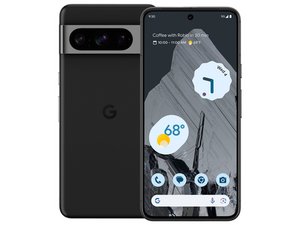

How to replace power button & volume button flex cable
How to replace power button & volume button flex cable
声誉积分: 100.9千
 158
158
 89
89
 154
154
Unfortunately your phone is new enough that there aren't any guides to that repair out there; well, at least none that I could find. Closest I could come was a teardown video that stops short of actually removing that flex cable, but does show how to get to it and where it's located.
Google Pixel 8 Pro Teardown Disassembly Repair Video Review - YouTube
You can follow along to find out how to open the phone and get to the flex cable, but the part you're interested in is located at approximately the 9:52 mark.
If you want to stick with the iFixit guides, it appears the Logic Board Replacement guide will get you right to where you need to be to access that flex cable.
Google Pixel 8 Pro Logic Board Replacement - iFixit Repair Guide
As you work, take lots of pictures and once you're done you can use the logic board guide as a basis to create your own volume and power button replacement guide! It's easy, fun and will be appreciated by the repair community, especially those who come after you with the same problem.
这个答案有帮助吗?
声誉积分: 1.3千
5
3
The the cable break, or are you having a hard time getting it to snap back in?
If it's the latter, I would suggest using a small pair of tweezers to help align the cable and then use a small tool (like an iFixit spudger) or even a chopstick to press it back into place.
If the cable itself is broken, then unfortunately, you will likely need to purchase a new part. Can you post a photo of the cable that is having an issue?
这个答案有帮助吗?
过去 24 小时: 2
过去 7 天: 30
过去 30 天: 145
总计 916


