
跳转到主内容
加入维修社区 - 创建账户

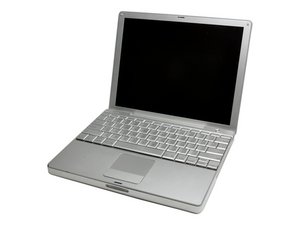
12' pb display. Despite a wholsale parts change, screen is still dark.

This is a restart thread for a problem with my PB.

[URL|Despite a wholsale parts change, screen is still dark.]

I have changed every imaginable part related to the problem and still no display

已回答! 显示答案 我也有这个问题

这是一个好问题吗?

得分 -1
4条评论

I have changed the display inverter, the data cable and the lcd display. Machine works fine with an external display and you can see that the backlight keyboard keys changes the display from a solid black to a very very dark grey.

完成的

Does it make a chime as it turns on?

完成的

And if you connect it to an external display, can you see a picture?

完成的

Machine works fine on an external display.

完成的

添加一条评论

2个答案

已选择的解决方案

Have you changed the logic board? I've run across a couple 12" PowerBooks which still had no backlight after changing every screen-related part, and unfortunately the only conclusion I could come to was that the boards had issues. I have many iBooks with a similar issue.

I'd also say, don't assume any "tested" parts you buy are good unless you've actually seen them working.

这个答案有帮助吗?

得分 2

4条评论:

I have changed the display inverter, the data cable and the lcd display. Machine works fine with an external display and you can see that the backlight keyboard keys changes the display from a solid black to a very very dark grey.

完成的

Do you see a faint image, i.e. is the problem that there is no backlight? If so, I'd change the inverter cable. It sounds like that is the only screen-related component (besides the logic board) that you have not changed. The inverter cable is far more often at fault than the inverter itself.

完成的

Not even a faint image, tried the flashlight through the apple logo on the case cover, shows not images.

完成的

If the external display works, yet there is not a faint image on the screen, that indicates the board is probably good, and that the problem is somewhere between the board and the screen (or the screen itself). I'd say it's either a connection issue of some sort, or, again, a part that you're assuming is good is not actually good. My rule of thumb is to assume every part is bad until I see it working, as assuming a part is good can only get you into trouble. To be thorough, I'd probably replace the inverter cable as well, just because it's the only part it sounds like you haven't replaced...even though from what you describe it doesn't sound like an inverter/interver cable issue. You may want to buy a flawed 12" laptop off of eBay for $100 that has a good screen and lights up. That way you'll be able to transplant the entire screen mechanism, and you'll know you're working with good parts.

完成的

添加一条评论

Have you replaced the Inverter, this drives the backlight, and if this dies, the display will be dim. This, I believe is located inside of the display housing, but I'm not sure, also have you checked the cables that go to, and from the inverter? Also, have you tried turning up the computer's backlight using the keyboard keys?

这个答案有帮助吗?

得分 0
添加一条评论

添加你的答案

robodney 将永远感激不已
浏览统计数据:

过去 24 小时: 0

过去 7 天: 1

过去 30 天: 20

总计 1,426