
跳转到主内容

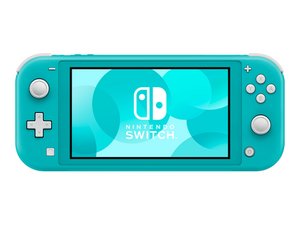
任天堂于2019年9月20日发布了在Switch系列中更加实惠、且更纯粹的掌上游戏机——Nintendo Switch Lite,它有着一体式的手柄设计以及更小的屏幕。

Replaced Game Card Reader and Still Not Reading Cards

I started getting the "game card could not be read" error and replaced card reader. Still having the same issue. All connections seem to be properly connected. I've tried multiple cards just to be sure it wasn't an issue with the game. I would love to hear any ideas on what else I might consider looking at to trouble shoot further.

Thanks

回答此问题 我也有这个问题

这是一个好问题吗?

得分 1
添加一条评论

1个答案

I've seen this happen many times, especially with the Switch Lite. With the back metal cover removed, gently press down on the clip area where the game card slot connects. Then insert a game and see if the system recognizes it.

这个答案有帮助吗?

得分 0

3条评论:

Hi! Just to add:

Try to clean the game card reader with isopropyl alcohol as well. If both failed, then please replace the game card reader! You can follow this guide: 任天堂Switch Lite 主板维修 (till step 16) remove the heatsink and then the game card reader! If you need a more specific guide, please let us know!

完成的

Unfortunatley that didn't seem to change anything. I have double checked to make sure all ribbons are properly connected and tried both the original and the new card reader to double check.

完成的

Maybe the replacement part is faulty as well. I would try another one and see how it goes. Usually this is really related to the reader..

完成的

添加一条评论

添加你的答案

Runtus_Maximus 将永远感激不已
浏览统计数据:

过去 24 小时: 3

过去 7 天: 12

过去 30 天: 65

总计 177