跳转到主内容

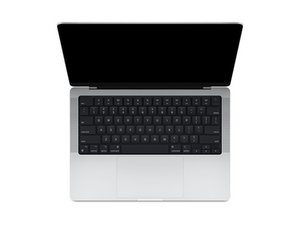
2021年10月发布的14英寸MacBook Pro的维修指南和拆解信息,该产品采用苹果设计的M1 Pro和M1 Max SoC,型号为A2442。

Magsafe 3 blinking orange slowly and Mac not turning on

My MacBook Pro M1 Pro (A2442) recently stopped turning on. Whenever I try to charge it the Magsafe 3 led blinks slowly in orange and even if I leave it for 30+ min it doesn't turn on. I have tried with USB c charging as well and it doesn't turn on.

I haven't used this Mac much so I usually only turn it on every month and the battery is dead so I have to charge it for 10 min or more before it can turn on on 1% battery and I can use it. I also usually don't turn it off and I guess it turns itself off by running out of battery.

Do I need to change the battery or how can I what's wrong with it ?

回答此问题 我也有这个问题

这是一个好问题吗?

得分 0
添加一条评论

1个答案

If you let the system sit for long periods of time your battery maybe the issue. Review this guide MacBook Pro 14" 2021 电池替换 what you want to do is disconnect the battery to see if you can run the system directly on the Charger Alone.

这个答案有帮助吗?

得分 0

2条评论:

So that is the test I can do ? Follow the guide until the point of disconnecting the battery and then reassemble and try tu turn it in like that ?

I guess the system will let turn on the Mac without battery 🤔 (no battery error?)

完成的

@xry1unaepbauzo - just leave the battery disconnected and leave the cover off. I haven't checked the 2021 systems yet as they held up quite well.

完成的

添加一条评论

添加你的答案

pegongorasep 将永远感激不已
浏览统计数据:

过去 24 小时: 4

过去 7 天: 19

过去 30 天: 54

总计 407