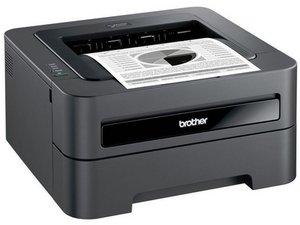

Brother ‘MFC-J4420DW’ printer can't pick up my SSID
Hello I have a brother ‘MFC-J4420DW’ printer, my internet was working on my printer perfectly then we had a storm in my area and had power outages for 24 hours or more. After 24 hours the power came back on, that's when I realized my printer was not connecting to the internet.
I have tried resetting my connections but failed it doesn't show my SSID at all. All my other devices connect to my internet but my printer and Smart TV which was working perfectly prior to the power outage.
Can anyone help please?

 418
418  297
297  158
158 
5条评论
@serenarihari let's see if our printer guru @nick has a solution for you.
由 oldturkey03 完成的
@oldturkey03 Lemme see if the SM is accessible for this one, given that Brother is potentially conceding and making it easier to find them or isn't DMCAing them when others host the SM. I am investigating to see if there's a reset in the maintenance mode that doesn't wipe out the machine's meter and serial number.
The last time I had a Brother was years ago, when someone handed me one that needed a major maintenance kit. I couldn't afford it, as it was one of the early color lasers, and everything down to the ITB was a wear item. Yes, even the fuser.
由 Nick 完成的
@nick SM added to the device page Brother MFC-J4420DW under Documents header
由 oldturkey03 完成的
@oldturkey03 Yeah, there's nothing in that SM for the WLAN :-(. Brother doesn't have a test mode that isn't destructive to other settings the OP may not be able to restore. We were looking at the same SM.
Seriously, there's no test mode for the WLAN card. The reason I'm reluctant to say, "Yeah, wipe the settings out," is that Brothers DO give some warning about the waste ink level, and if the OP wipes it, it'll just up and die when the sensor trips.
由 Nick 完成的
@oldturkey03 The good thing is this has Ethernet so if the wireless is shot there’s a way out. It may mean relocation or a long cable. Still better than the bin.
由 Nick 完成的