
 1
1 2014 MacBook Pro not turning on
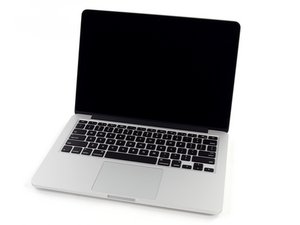
Hi, I have a Mid 2014 13” MacBook Pro and it is not working. I received it the other day and it actually turned on and got to the setup page but it turned off soon after and has not turned on since then. I have installed a new battery but it still does not boot. The charge indicator on the MagSafe 2 power adapter shows it is charging and turns green when charged. I can sometimes even hear a little wiz when I push the power button on the keyboard as if it is trying to start up. I have tried almost everything I can think of including SMC, power reset etc. When I attempt an SMC reset with the MacBook plugged in it does indicate to green then back to orange.
I have tried some troubleshooting steps. Only thing I noticed without taking the logic board out was some orange rust like look on the screw hole of the airport card.
Any help is really appreciated as this MacBook is in great shape and I'd love to get it working again.

 338
338  974
974 
Try disconnecting the battery and then plug the charger to see if it boots..... but from the sounds of it there is a deeper issue that may require the help from @danj @oldturkey03
由 livfe 完成的
@livfe I have tried this and unfortunately it still does not boot. Which is why I would assume it is something to do with the logic board. What I don't understand is how it turned on for a couple minutes after sitting in shipping for 10 days.
由 mason 完成的
@mason18946 I have had this same happen to me before and it is a mystery as one was working before the seller sent it to me.... it booted and then screen flicker and goodnight..... Maybe is was struggling and that was why they sold it before it went to sleep..... Sadly some people out there will do this.
由 livfe 完成的