跳转到主内容

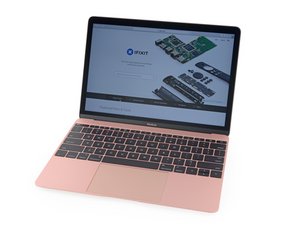
2016年版Retina MacBook的更新版本。型号A1534,EMC 3099。现在采用更快的Kaby Lake处理器,最高可达1.4 GHz Core i7,支持Turbo Boost加速至3.6 GHz,SSD速度提升高达50%,并支持高达两倍的内存。

How do I replace the display gasket on a 12" MacBook?

Hi folks, does anyone have a procedure for replacing a display gasket on a 2017 12" Macbook? I know these old tiny Macbooks are nigh-impossible to repair. The screen gasket on my is deteriorating for whatever reason and I'd like to save this device if I can.

The part in question is this one:

MacBook 12" Retina (Early 2015-2017) Display Gasket

Thanks!

Replace the elastic plastic gasket that fits around the outside edge of the display assembly.图片

产品

MacBook 12" Retina (Early 2015-2017) Display Gasket

$9.99

已回答! 显示答案 我也有这个问题

这是一个好问题吗?

得分 0
添加一条评论

1个答案

已选择的解决方案

You’ll need to first take the display off following this guide Retina MacBook 2017 Display Assembly Replacement then you’ll be able to grab the end just behind the hinges (either side) then carefully pull. The rubber has a bit of a rib which is grabbed by the edge of the glass and metal frame. Putting in the replacement is a bit tricky! As you need to start from the middle and make sure you don’t over stretch the rubber. I find a little bit of WD40 sprayed on a paper towel which you rub on the rubber to just barely coat it makes the job easier. It only takes a drop or two! So go easy as you then will have streaks on the display if you go overboard. Once in, I use a cotton pad to wipe the rubber down with isopropyl alcohol (again damp not wet) often using multiple pads to clean the WD40 off. Then a micro cloth with a glass cleaner wiping way from the glass.

这个答案有帮助吗?

得分 0

1条评论:

Thank you very much for that answer! I really appreciate it. I'll probably get a replacement battery while I'm at if I I'm gong to have to take this thing so far apart to do the gasket. Man, Apple really wasn't designing with repair in mind at ALL back in this time frame.

完成的

添加一条评论

添加你的答案

Eric Liu 将永远感激不已
浏览统计数据:

过去 24 小时: 0

过去 7 天: 2

过去 30 天: 15

总计 109
