
跳转到主内容

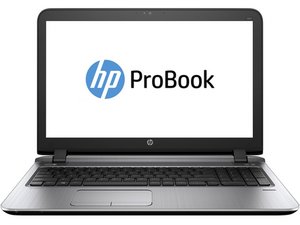
The HP ProBook line of business laptops was released in April 2009, aiming to be a lower cost to HP's EliteBook lineup.

How to replace HP ProBook 450 audio speakers

My PC doesn't not produce any sound I have troubleshoot every software issue I can think of but yet no sound, I have been using headphones and Bluetooth speakers to watch movies. So, I think the speakers are bad


回答此问题 我也有这个问题

这是一个好问题吗?

得分 1
2条评论

Hi @njang,

What model Probook 450 is it, G1, G2, G3, ........ G10 etc?

完成的

@jayeff it's G5

完成的

添加一条评论

2个答案

最有帮助的答案

Replacing the speakers on an HP ProBook 450 is definitely an option if you've exhausted software troubleshooting. Here's how to get you started:

Before you begin:

  • Back up your data!
  • Turn off your laptop and unplug it from the power outlet.

Finding a guide:

There are resources available online that can guide you through the replacement process specific to your HP ProBook 450 model. Here is a option:

  • iFixit: iFixit offers a repair guide for the HP ProBook 450 G4 speaker replacement. While the exact steps might vary slightly depending on your model, it should give you a good overall idea of the process. here is the link - HP ProBook 450 G4 Speaker Replacement

这个答案有帮助吗?

得分 2

3条评论:

@shohagcell79861 excellent answer

完成的

@oldturkey03 Thank you so much 😍

完成的

添加一条评论

Hi @njang

Here's the maintenance and service guide for the laptop.

Go to p.56 to view the procedure to remove/replace the speaker assembly.

Search online for L00838-001 to find suppliers of the speakers

这个答案有帮助吗?

得分 1
添加一条评论

添加你的答案

Njang 将永远感激不已
浏览统计数据:

过去 24 小时: 1

过去 7 天: 6

过去 30 天: 18

总计 248