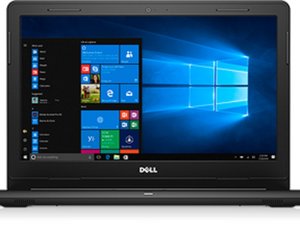

Blinking Power LED 1 Long White 4 Short Ember
I have a Dell Inspiron 14 3000 (Service Tag 91T5S53)
I have been getting a constant Blinking Power LED (1 long white and 4 short ember) I cant seem to find the error code online.
The computer works fine with the power plugged in no issues, but when unplugged turns off immediately, which I thought indicated a battery replacement. I replaced the battery and nothing changed, I still get the same flashing power LED.
The replacement battery is recognized in Windows with a 55% charged capacity but doesn't charge any further nor does it discharge.
I tried uninstalling the Microsoft ACPI-Compliant Control device driver in Device Manager and restarted the computer, but that failed to fix the issue as well.
I have ran the offline Dell Diagnostic several times but comes back with no errors.
I also ran the Dell Support Assist in Windows, and comes back with no errors as well.
There are no BIOS updates as I have applied all available critical and recommended updates.
Can anyone explain what the issue could possibly be and how to fix it?

 11
11  398
398  1.5千
1.5千 
1条评论
Hello, how was the problem solved? I have the same problem.
由 Dalibor Moc 完成的