
跳转到主内容

File folder with question mark?

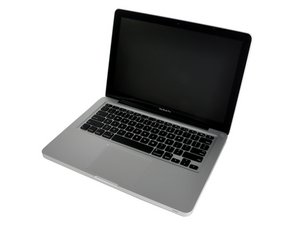
I was attempting to wipe my hard drive, I clicked on it from disk utility and clicked erase, then I pressed skip so it said skipping, it did this for about 2me hours so I closed disk utility even after it told me my device might no longer work (stupid of me I know). Then once I turned on my laptop it displayed the file folder with the question mark. I used the installer CD that came with the MacBook but no hard drive shows up. What can I do? I have a MacBook 13but inch model # A1278

已回答! 显示答案 我也有这个问题

这是一个好问题吗?

得分 -1
添加一条评论

1个答案

已选择的解决方案

If no hard drive shows up when booting from your original system installation disk and using Disk Utilities, the hard drive most likely needs to be replaced. Why were you trying to reformat it?

这个答案有帮助吗?

得分 4

4条评论:

I was going to sell it but now I can't because I won't sell something that doesn't work. So. What are my options?

完成的

Buy a SATA used drive off eBay or a new 2.5" SATA, look at the installation guide, it's a five minute to 10 install chore, put a system on it and move on down the road. Hard drives fail, no big deal.

Here's how: MacBook Pro 13“一体式2010硬盘更换

完成的

Ok thanks for the advice. Is there a certain type of hard drive?

完成的

2.5' SATA I, the faster type 2 & 3 drives may be used but may have to be jumpered back to slow them to 1.5 GHz. Here are drives that will work for you: http://www.ifixit.com/Mac-Parts/MacBook-...

完成的

添加一条评论

添加你的答案

Rudy 将永远感激不已
浏览统计数据:

过去 24 小时: 0

过去 7 天: 1

过去 30 天: 2

总计 960