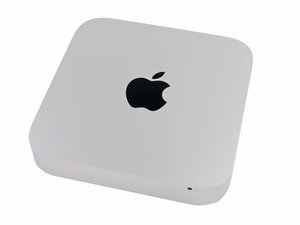

Can I use SSD of A1369 MBA for this A1347?
Can I use SSD of A1369 MBA (6+12 Pin) for A1347 PCIe SSD socket, which adapter do I need and is it available on the market?

声誉积分: 41.4千
 28
28
 48
48
 40
40
Not to my knowledge. There may be an adapter available, but I have not seen one and some sort of adapter would be necessary since the mac mini uses the 12+16 pin Apple form factor for the SSD.
Also the 6+12 Pin drives use SATA rather than PCIe so I am unconvinced they would be easily adapted regardless. In my opinion, you would be better off putting in a 2.5” SSD rather then trying to install the 6+12 pin.
这个答案有帮助吗?

声誉积分: 496.1千
35
338
974
Here’s a great reference: The Ultimate Guide to Apple’s Proprietary SSDs
First let’s review the different I/O’s involved:
And here is a graphical way to see the different interfaces

Clearly using a MacBook Air mSATA SSD drive (Red path) can’t run via the Yellow path.
But what you could do is migrate the data thats on the mSATA drive to the one you currently have in your Mac Mini or if needed buy a new drive for your system. Either by adding the blade interface Mac mini Late 2014 PCIe SSD Cable Replacement and a PCIe/NVMe blade SSD (reference the BeetsTech link above or get an OWC compatible SSD). Or replacing the 2.5” drive with a new SSD drive Mac mini 2014 年末机型的硬盘更换
You’ll need a OWC Envoy case for your MacBook Air drive if your system is no longer working or if it is still working leverage Target disk Mode to connect the two systems together to migrate your stuff over

指南
难度:
中等
—
15 - 20 minutes

指南
难度:
中等
—
30 minutes - 2 hours
这个答案有帮助吗?
过去 24 小时: 0
过去 7 天: 1
过去 30 天: 8
总计 99
