
跳转到主内容

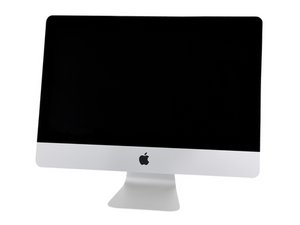
A1418/EMC3069/2017/3.0GHz四核心Intel Core i5、3.4GHz四核心Intel Core i5或3.6GHz四核心Intel Core i7处理器。于2017年6月8日发布。

How do I add a SATA SSD and its cable?

Hi again, Dan.

Since I do not need to go down to the blade level since that should be the only SSD installed in my unit, I suspect I can omit Steps 24-30 and 33-45… In other words only perform those steps necessary to access the HDD area so I can add the new drive, bumper units, and cable.

However, since there isn’t an existing SATA cable in the unit, is it obvious where the end plugs into on a board, and if so, do I need to perform some or all of steps 24-30 and 33-45 to access that?

I was hoping for minimally invasive surgery here, but if I need to go deeper to plug in the cable I understand. Thanks—Don

已回答! 显示答案 我也有这个问题

这是一个好问题吗?

得分 0
添加一条评论

1个答案

已选择的解决方案

You’ll need to lift the logic board so you can reach under it to get to the cable headers

Block Image

Follow this guide iMac Intel 21.5" Retina 4K Display (2017) Logic Board Replacement

Did you get the needed cable set? iMac 21.5" (Late 2013-2017) SATA Cable

Replace a broken or malfunctioning SATA Cable in your Late 2013 to 2017 model iMac 21.5" desktop computer.图片

产品

iMac 21.5" (Late 2013-2017) SATA Cable

$12.99

这个答案有帮助吗?

得分 1

1条评论:

Thank you, and yes, I purchased that cable from iFixit!

完成的

添加一条评论

添加你的答案

Don Zvareck 将永远感激不已
浏览统计数据:

过去 24 小时: 0

过去 7 天: 1

过去 30 天: 8

总计 121