
 2
2 MacBook Pro won't boot with or without battery
Hi everyone, I’ve read quite a few articles on here but haven’t found one with the exact issue i am seeing - apologies if i’m just being blind.
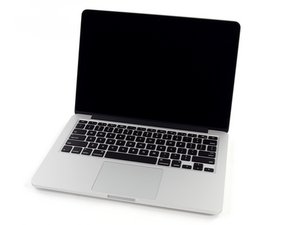
I am trying to fix my Daughter’s late 2103 Macbook Pro, she ‘thinks’ she may have spilt liquid in it - but this was at least a month ago.
What I observe is a dead Macbook. It doesn’t start, no fan spinning, no lights on the device … completely dead. When i plug in the magsafe2 charger, it goes green initially and then orange (which is good?). I have left it to charge but have no idea if the battery is charged or not.
I have tried unplugging and holding the power-on button etc but nothing. However when i do the key combo for SMC reset (Shift-Ctrl-Alt-Pwr) the magsafe light changes back to green for a moment and then back to orange again … so it looks like the logic board is functioning enough to allow keyboard input and show on the magsafe?
I have tried unplugging the battery and booting from mains power but no change, and it also does the green to orange on the magsafe with no battery attached.
I have completely disassembled the macbook and inspected all the components looking for any signs of water damage … i found a spot of sticky brown liquid under the touch pad on one of the top pads, also a similar spot on the inside of the back cover so i cleaned this off but found nothing anywhere else. All the ribbon cables and connectors look good, no signs of melted plastic on any components that i could see,
I have reassembled it and it is behaving exactly the same … and I’m not sure what to try next? any help/advice would be much appreciated.
thanks, Andy


1条评论
I replaced the logic board today with a refurbished one I bought from eBay … and it’s all working!
Thanks for the help and especially for the repair guides on this site which made it relatively easy :)
由 Andrew Vincent 完成的