
跳转到主内容

宏碁 Aspire 系列笔记本电脑的维修指南和支持,适合家庭和企业使用。

I cannot add a boot option to boot from usb

Hi all,

How can fix the below issue.

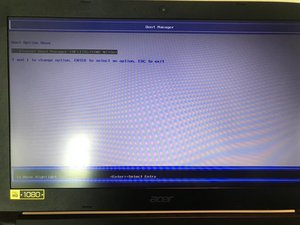
I forgot my Window 10 log in password and bought a program to recover it. This requires me to boot from usb in order to run the program.

However I am facing an issue that there is no option to choose to boot from usb.

I am using Acer Aspire3 A315-41G-R8QG with an InsydeH20 Rev5.0 system

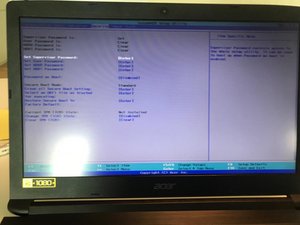
I disabled the secure boot.

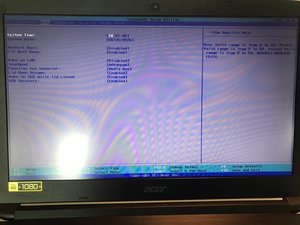
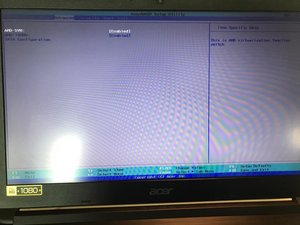
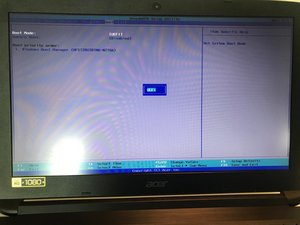
I also attached the screen cap for everyone to understand my situation. Thank you

Block Image
Block Image
Block Image
Block Image
Block Image
Block Image
已回答! 显示答案 我也有这个问题

这是一个好问题吗?

得分 1
1条评论

Hi @derek1234 ,

Is the USB "bootable"?

Try using Rufus to make the USB a bootable disc and check if it is picked up in BIOS in the boot priority order.

Just a thought

完成的

添加一条评论

1个答案

已选择的解决方案

Look at your second to last photo. Do you see Boot Mode? Change it from UEFI to Legacy.

Power on and then press F12 key for boot menu and select your USB drive and it will boot.

Not an option? Easy - just make a UEFI USB flash drive as follows:

Create UEFI USB flash drive

  1. Drive: Select the USB flash drive you want to use.
  2. Partitioning scheme: Select GPT Partitioning scheme for UEFI here.
  3. File system: Here you have to select NTFS.
  4. Create a bootable drive with ISO image: Select the corresponding Windows ISO.
  5. Create extended description and symbols: Tick this box.

Have you updated the BIOS/UEFI ?

这个答案有帮助吗?

得分 3

3条评论:

Thanks Mike. But there is no Legacy to pick. UEFI is the only option there . That's why I am stuck here.

完成的

@derek1234

Just updated the answer. Have a look.

完成的

نفس مشكلة جهازي لايوجد خيار legacy

完成的

添加一条评论

添加你的答案

Derek 将永远感激不已
浏览统计数据:

过去 24 小时: 7

过去 7 天: 28

过去 30 天: 156

总计 13,144