
跳转到主内容
加入维修社区 - 创建账户

'10 MacBook Pro won't boot ONLY with BOTH new RAM sticks

Hi, I’m trying to revive my old mid-2010 mbp, so I am trying to upgrade the RAM. Originally it had 4gb, 2x2gb, and I’m hoping to kick it up to 16gb, 2x8gb. I bought the iFixit “kit” for just this - compatible with the model, says the site (MacBook Pro 13" Unibody (Mid 2010) Memory Maxxer RAM Upgrade Kit). When I put both new 8gb stocks into the slots, it won’t boot. The fan comes on but nothing on the screen. One or two times there was an intermittent beep, but usually it’s just the fan. I have tried PRAM and SMC reset. The MacBook Pro model is 7,1.

I made sure it wasn’t the slots, or either of the new sticks. It works (and recognizes all 4 sticks in either of the slots at the correct value) in every combination BUT both 8gb sticks inserted. So the best I can seem to do is 10gb (1x8gb, 1x2gb - in either order).

What else is there to try? If both slots work, both RAM sticks work, the computer is compatible (says iFixit)/software is up to date (well, for a 2010 - aka High Sierra), PRAM and SMC reset do nothing…. why is this happening? Please help!

I appreciate any guidance you can provide.

Update (04/12/2020)

@danj

Block Image

Update (04/11/2020)

@danj posted below, couldn't figure out how to put a picture in the comment replies. The stickers say "8gb / DDR3 / PC3-8500 / 1066MHz / 204PIN"


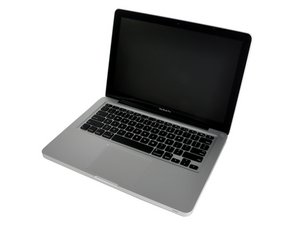
Max your MacBook Pro 13" Unibody Mid 2010 with 16 GB RAM. Upgrade bundle includes all the parts and tools needed to mod your laptop. Compatible with 2.4 or 2.66 GHz Core 2 Duo Penryn Mid 2010 MacBook Pros.图片

产品

MacBook Pro 13" Unibody (Mid 2010) Memory Maxxer RAM Upgrade Kit

$113.99

回答此问题 我也有这个问题

这是一个好问题吗?

得分 0

1条评论:

完成的

添加一条评论

2个答案

To be clear if you put in one 8 GB SO-DIMM alone the system will recognize it. Now move that SO-DIMM to the other slot did that work?

这个答案有帮助吗?

得分 0

8条评论:

Just tried this - it will not boot with just 1 of the new RAM sticks, either of them, in either slot. Boots fine with the old 2gb

完成的

What system are you running and what has your EFI been updated to?

*Originally, both the official and actual maximum RAM was 8 GB. However, as confirmed by site sponsor OWC, if running OS X 10.7.5 or higher, updated with the latest EFI, and equipped with proper specification memory modules, this model can support up to 16 GB of RAM.

完成的

@cnygard0 - I'm with @mayer here your systems firmware (EFI) needs updating.

Which implies you need to first upgrade your OS to at least OS-X Lion (10.7.5) or better yet get to macOS Sierra (10.12.6). I would stick there as High Sierra has a few issues on the older MacBook Pro's

You'll want the installer from here: How to upgrade to macOS Sierra as Apple had messed up the certificate dates If you've got an old macOS install image, it will probably stop working today

完成的

@danj I’m already running High Sierra 10.13.6

完成的

@mayer High Sierra 10.13.6 - how can I tell if the EFI is up to date?

完成的

显示更多的3条评论

添加一条评论

Are you sure it can handle it? Take 1 stick out and see if it powers up.

Update (04/12/2020)

That ram is not compatible.

这个答案有帮助吗?

得分 0

2条评论:

@murphy201869 - That was tried:

Just tried this - it will not boot with just 1 of the new RAM sticks, either of them, in either slot. Boots fine with the old 2gb

完成的

In what way is it not compatible?

完成的

添加一条评论

添加你的答案

COB 将永远感激不已
浏览统计数据:

过去 24 小时: 0

过去 7 天: 1

过去 30 天: 7

总计 374