
跳转到主内容
加入维修社区 - 创建账户

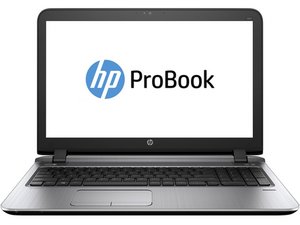
The HP ProBook line of business laptops was released in April 2009, aiming to be a lower cost to HP's EliteBook lineup.

Laptop doesn't turn on

I have a laptop that’s a HP Probook 650 G1. It’s unable to power on, however plugging in the battery or AC adapter the power button icon is instantly lit up white but it cannot be force turned off by holding it. The LEDs at the bottom show the power as solid white and the charge logo is constantly blinking orange. Pressing the power button does nothing, and no fans can be heard.

I have already tried holding the power button for 30 seconds without the battery or AC adapter and re-seating the RAM. This all happened after I had successfully flashed the EEPROM with a new BIOS. Any ideas?

回答此问题 我也有这个问题

这是一个好问题吗?

得分 0
添加一条评论

1个答案

Sounds like the BIOS flash went bad or you flashed a incorrect/custom BIOS to the machine. You have one of the HP SureStart systems so recovery is dead simple, but it also means that if you attempted to flash a custom BIOS you killed it because it isn’t possible on the SureStart hardware. However, the advantage working in your favor is SureStart also makes it easy to recover.

It is possible to recover the BIOS, but it doesn’t always work. What you need to do is hold Win+B before holding the power button. If you have a image of the old BIOS on your hard drive, it will restore to that and you can either try again or stay where you stopped if you would rather not gamble. If you do not have it on the drive, you will need to create a Recovery USB for the laptop to flash from. If you need a visual guide, refer to this video. Additional text instructions can be found here.

这个答案有帮助吗?

得分 0

2条评论:

Unfortunately the Win+B doesn't work. It's probably because that once I plug in the AC adapter the power button immediately turns on but literally nothing happens (like I said before). I did try holding Win+B and plugging the adapter with a recovery USB but nothing happened.

I do have a backup of the original BIOS before I did anything, so I'll re-flash it again and see what happens. If it doesn't work afterwards and the issue is the same then I'm not sure what the problem is unless I just straight up killed the motherboard somehow.

完成的

Original BIOS flash didn't work, had the same exact issue in the end. RIP :(

完成的

添加一条评论

添加你的答案

Yuki 将永远感激不已
浏览统计数据:

过去 24 小时: 0

过去 7 天: 1

过去 30 天: 9

总计 1,659