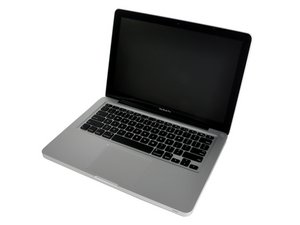

跳转到主内容

Replacement Trackpad doesn't work

I replaced the Trackpad with one from ifixit. The cursor is responsive however clicking doesn’t work, the Dock doesn’t respond or appear at all and I cannot open any menus .

I checked everything and even repeated the process and made sure the connections were secure.

I replaced the new with old and functionality returned other than drag and drop which is what prompted the upgrade in the first place.

Cheers

回答此问题 我也有这个问题

这是一个好问题吗?

得分 0
添加一条评论

2个答案

最有帮助的答案

To help isolate the issue, try using an external USB mouse.

Make sure your battery isn’t swollen.

There is also an adjustment screw on the trackpad. See step #9 at the very bottom of the photo on this guide:

MacBook Unibody Model A1342 Trackpad Replacement

UPDATE

If you are getting the same symptoms with an external mouse, it’s a very good bet the problem in not with the trackpad. My guess would be a virus. Start up in Safe Mode by holding down the Shift key and tell us if the problem persists,

这个答案有帮助吗?

得分 3

2条评论:

I tried my usb mouse. Same symptoms. No Dock, no drop down menus, no access with clicking. Battery is 4 months old and fine. I am not a novice.

完成的

What happened in Safe Mode?

完成的

添加一条评论

Here’s a picture of the adjustment screw

Block Image

这个答案有帮助吗?

得分 1

13条评论:

What does it adjust?

完成的

The green screw adjusts the point the down pressure click is reached. You should hear the click and the system should respond to that point as well.

I often find when I replace the trackpad I can encounter it rubbing on the sides. To help prevent that I use a Post-It Note on the inside surface of left & right sides of the hollow with adhesive side to the case. Then carefully tighten the Orange screws and pull out the papers. This makes sure there is a gap between the sides.

完成的

The old trackpad is back in and works but it is lacking in functionality.

完成的

@Tim Harding - Define what you mean by 'functionality'

The curser moved left to right as well as up and down across all parts of the surface? Does the click action work at the lower center point as well as the bottom left and right corners. Two finger actions also work?

完成的

The reason I wanted an upgrade was because I could no longer drag and drop. Click action works on my old trackpad in all areas as well as two fingers action. On the new trackpad I could move the cursor but click and tap were non functional. The cursor would not make the dock appear nor activate drop down menus.

完成的

显示更多的8条评论

添加一条评论

添加你的答案

Tim Harding 将永远感激不已
浏览统计数据:

过去 24 小时: 0

过去 7 天: 1

过去 30 天: 14

总计 133
