
跳转到主内容

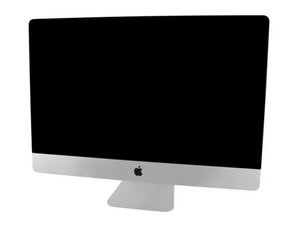
Model A1419 / Late 2013 / 3.2 & 3.4 GHz Core i5 or 3.5 GHz Core i7 Processor, ID iMac14,2

Replace HDD with SSD

I bought a Crucial 1TB SSD to replace my original 1TB HDD. Utilizing a USB port, I formatted the drive with APFS, installed Mojave, and restored date/settings from my HDD to the SSD. It boots fine after selecting it to boot in startup disk (system preferences).

My question now is: Can I simply replace the HDD with this SDD? Is there anything else special I need to do for it to boot? Thanks in advance!

已回答! 显示答案 我也有这个问题

这是一个好问题吗?

得分 0
添加一条评论

2个答案

已选择的解决方案

Hello

no you don’t have to do anything to boot but changing the hdd with ssd is not an very easy thing to do. If you are confident with your technical skill, have a look on ifixit tutorials you may have to order some adhesive to seal your screen after operation. This is no difficult but requires more than screwdriver knowledge.

If you don t want to open the imac i suggest that you use an external drive box connected to the thunderbolt connection. This kind of box is a bit more expensive than classical usb hard disk housing but you will get real good performance without opening the imac and you can keep internal disk for automatic back up.

这个答案有帮助吗?

得分 1
添加一条评论
最有帮助的答案

Adding an SSD will make your Mac boot faster, copy files in the blink of an eye, and make the system more responsive when multitasking.

You may just select the SSD as the destination disk to reinstall Mac OS X. After the OS has installed, the utility will ask you if you'd like to restore files from another disk. Select the original hard drive. Depending on how many files you have, this process could take some time, too.

这个答案有帮助吗?

得分 1
添加一条评论

添加你的答案

Daniel 将永远感激不已
浏览统计数据:

过去 24 小时: 0

过去 7 天: 0

过去 30 天: 3

总计 109
