
跳转到主内容

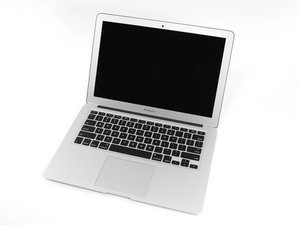
在2017年6月,Apple更新了13寸的MacBookair,他换上了更新更好的Intel Core i5处理器,让性能和电池续航时间提高。

Device powers off when plugged in

Yes, plugged in. Laptop won’t charge, light on magsafe is off. As soon as I connect the magsafe into the macbook, the screen will turn off.

Have tried different chargers, reset PRAM, SMC, manually disconnecting and reconnecting battery, nothing.

已回答! 显示答案 我也有这个问题

这是一个好问题吗?

得分 0
添加一条评论

1个答案

已选择的解决方案

It sounds like you have a short along the main power line. Try opening up the bottom and inspect the I/O board, I wouldn’t be surprised you’d see something burnt or charred. If you feel like doing it yourself you may try replacing the I/O board and connecting cable, but you also run the risk of throwing time and money, be aware of that. However this definitely seems a hardware problem.

MacBook Air 13" (Mid 2013-2017) I/O Board

MacBook Air 13" (Mid 2013-2017) I/O Board Cable

Replace an I/O Board Cable compatible with the Mid 2013 to 2017 13" MacBook Air laptop. Fix the connection between the I/O Board and the Logic Board.图片

产品

MacBook Air 13" (Mid 2013-2017) I/O Board Cable

$14.99

Replace a used I/O board compatible with the Mid 2013 to 2017 MacBook Air 13" laptop. Fix problems with charging, audio, and data connections. Includes the MagSafe 2 power, USB, and audio ports.图片

产品

MacBook Air 13" (Mid 2013-2017) I/O Board

$52.99

这个答案有帮助吗?

得分 3

3条评论:

Swapped the i/o board, issue persists.

完成的

I/O cable! That's what it was, thanks!

完成的

@gatovandalico Great, happy that worked ! It would be nice if you'd mark the answer as accepted, so that it may serve as a reference for future similar problems, thanks.

完成的

添加一条评论

添加你的答案

el gato 将永远感激不已
浏览统计数据:

过去 24 小时: 0

过去 7 天: 0

过去 30 天: 0

总计 70