
跳转到主内容
加入维修社区 - 创建账户

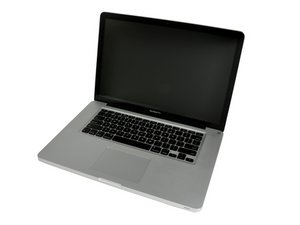
Released October 24, 2011 / 2.2, 2.4, or 2.5 GHz Quad-core Intel Core i7 Processor

Black Screen at Boot

Hello,

I am working on fixing up a computer from craigslist for a friend of mine. I replaced the HDD with an SSD and it was working fine. I ran AST and VST yesterday and both of them passed. Today I took out the logic board to reapply the thermal paste before I finished updating the computer and once I put it back together it won’t boot. I get the startup chime and then a black screen. I have checked the connections and they all seem to be seated well on the board and I made sure not the screw in the Processor and GPU’s heatsink too far. I’m out of ideas and if anyone else would have any that’s great! I am getting the correct boot chime as well as the ability to reset PRAM. I’m having some problems keeping the keyboard plugged in so when I get home from work I will try an SMC as well.

Any help is appreciated!

Thank you all in advance!

已回答! 显示答案 我也有这个问题

这是一个好问题吗?

得分 0
添加一条评论

1个答案

已选择的解决方案

A 15” Pro from 2011 ? Sounds like yet another dead GPU to me..same issue on the external monitor confirms it. Not much you can do with it besides replacing the board or putting it back to Craig’s where it came from.

这个答案有帮助吗?

得分 2

2条评论:

I don't think this is a dead board though. It seemed to work fine before I took it apart and added the thermal paste. I ran AST and VST the day before and no signs of anything wrong with it.

完成的

Hardware test usually doesn't pick up Gpu issues and symptoms match. I'd like to have some alternative issue that would give the same problem and would be easier to fix, but I don't, and I doubt you'll find any alternative explanation. Wish you luck with it.

完成的

添加一条评论

添加你的答案

Fox754 将永远感激不已
浏览统计数据:

过去 24 小时: 0

过去 7 天: 0

过去 30 天: 2

总计 91