
跳转到主内容
加入维修社区 - 创建账户

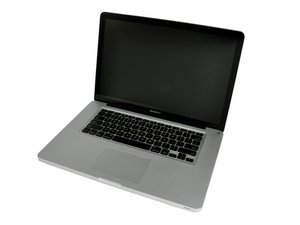
Released April 2010 / 2.4, 2.53 GHz Core i5 or 2.66 GHz Core i7 Processors

I can't see the HDD in the enclosure

I everyone,

I just upgrade my mac book pro with a SSD and the hard drive enclosure 9.5.

I don't have any problem to see the main disk (SSD) but it's impossible to see the 500GB hdd in the enclosure. I follow the guide point by point and everything is connected I just can't see it in disk utility.

Thanks in advance for any help.

已回答! 显示答案 我也有这个问题

这是一个好问题吗?

得分 -1
4条评论

So my old hard drive is a 500GB momentus XT (hybrid). I put the new one in the classic hard drive place and the 500GB in the enclosure. I did have any problem to instal OsX on it, but after that I can't see my 500GB in disk utility...

I will try a other HDD in the enclosure if that doesn't work I'will try to see it with a windows intal.

I will keep you posted about my try.

完成的

Let us know what happens when you use another hard drive in the enclosure and try it on your windows machine. It definitely sounds like some problem with the enclosure or hard drive.

Are you using an external power supply for the hard drive? I know you have to supply some kind of power to SATA drives in order to be able to use them externally. They wont work if you just plug them into the USB.

完成的

problem solve ! so I change a first time my HDD hybrid (in the enclosure) with a hold 160Go (didn't work) then by a recent 640GO 7200tr and that work ! I believe there is a power limit for the enclosure.

完成的

Glad I could help solve your problem.

完成的

添加一条评论

2个答案

已选择的解决方案

Is the 500 GB drive a new one? What did you use to see the drive, or did the icon just not show up on the desktop? If the drive is new, start up from your system installation disk, go to the second page pull down menu to Utilities > Disk Utility. Select the drive on the left and format it.

这个答案有帮助吗?

得分 2

2条评论:

What he did was he upgraded to an SSD drive then installed OSX in the new SSD. After that he took the old drive and put it into an enclosure to use as an external drive but it is not being recognized, wont show up on the desktop or in disk utility.

完成的

If this is a USB powered external, try using a different USB port. Not all USB ports are equal in power.

完成的

添加一条评论

If you are trying to boot from the OSX DVD and the disk utility in the OSX install utility is not recognizing the 500gb hard drive inside the external enclosure, it is most likely because the only drives that will show up in the install utility will be the internal drive and an external FIREWIRE drive. Try hooking up the enclosure to the macbook using a firewire cable. I might be wrong on this but I have experienced the same on other macs.

Another thing you could do is to go ahead and install OSX on the SSD and once you are finished with the install then you should see the 500GB hard drive on your desktop or in finder or disk utility. I think this would be a better choice since you want OSX to run from the SSD anyways to take advantage of the mega fast speed and just use the 500GB as external storage.

If you still don't see the hard drive then either something is up with the enclosure or the hard drive. Try another hard drive in the enclosure to check if it recognizes that one.

I hope this helps, good luck!!

这个答案有帮助吗?

得分 0
添加一条评论

添加你的答案

emericpinon 将永远感激不已
浏览统计数据:

过去 24 小时: 0

过去 7 天: 0

过去 30 天: 3

总计 890