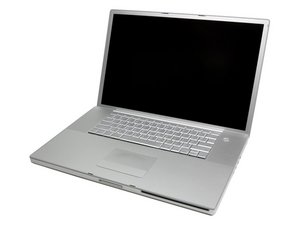

MBP won't turn on/boot up
Got home today and my MacBookPro won't turn on.
Was working fine yesterday. Even cleaned up and recently backed up my hard drive thank god. Not too long ago the optical drive went out and apple put a new one in it. Recently I purchased 4gb of ram as the MBP was starting to slow down a little. I read that the problem could be the ram so I put the factory ram back in and no luck. Still won't turn on.
I didn't turn my MBP off yesterday. Just closed the lid. Got home today, it was off and now won't turn on.
The problem as specific as I can put it is as follows.
If I click the power button the hd spins up for a second making the normal start up sound the light on the front comes on. This lasts for a second or two then it all stops abruptly.
If I hold the power button down instead of just clicking it, it makes the normal start up sounds, there's a very faint whir going on inside and then it stops. Holding it down lasts a good two or three seconds longer than just clicking it. Cicking it is almost instantaneous. Holding it down prolongs it and sounds like itll start up fine.
I removed the battery with the MBP plugged in and tried both clicking and holding it down.
I put the battery in and unplugged the power cable. Same.
I've unplugged everything that was plugged into it. Nothing.
Hoping I can get some help. I won't be able to get to the apple store for a few days I don't think.
Anybody have some ideas? Google wasn't much help

 3.8千
3.8千  1.1千
1.1千  2.6千
2.6千 

1条评论
Thanks everybody for the help. I ended up taking it to the Apple store where they determined it was a dead logic board. Because Best Buy had replaced the Optical Drive with a part not certified by Apple, for them to replace the logic board they would also have to replace the drive in order for it to pass all their tests. without passing tests they can't send it back. It was going to cost me about 1500 all said. So I got it back and sold it on ebay with out the hard drive and a dead logic board for 420 which i used as a payment on a new MBP.
Really sucks but made the best of it as i could. Hope this helps anybody with similar problems.
由 David sparks 完成的