
跳转到主内容

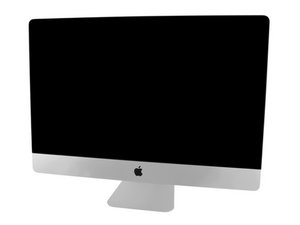
Model A1419 / EMC 3070 / Mid 2017 / 3.4, 3.5 or 3.8 GHz Core i5 or 4.2 GHz Core i7 Kaby Lake Processor (ID iMac18,3) / Retina 5K display. Refer to the older iMac Intel 27" Retina 5K Display (Late 2014 & 2015) guides as the system is very similar.

RAM upgrade issue for iMac 2017

Hello,

I purchased OWC RAM of 4GB, 2400 MHz and tried in my iMac. It works fine. However I cannot use all 4 slots at a time, iMac doesn't boot. Plz help

I tried these:

1. Both new RAM (4GB+4GB)-Boots fine

2. Both Old RAM(4GB+4GB)-Boots fine

3. One old & one new-Boots fine

I confirmed that all 4 slots work fine. All 4 RAMs work fine

It is just that I cannot add more than 2 RAM at a time

The following combinations too, work fine.

1,3 slot-Boots fine

1,4 slot-Boots fine

2,3 slot-Boots fine

2,4 slot-Boots fine

Configuration is 3.8Ghz intel core i5,

8GB 2400MHz

18,3

Thanks

Rajesh

Update (07/11/2018)

Block Image

Added RAM Pics

Update (07/11/2018)

Block Image

Back side is here

回答此问题 我也有这个问题

这是一个好问题吗?

得分 0
2条评论

Can you get a snap of the bare chip side (only need one stick) as I wanted to check the chips them selves also do your other sticks (both sides) so we can see whats different.

完成的

How much do you intend on putting in? and what type of ram? Check compatibility

完成的

添加一条评论

1个答案

最有帮助的答案

Take a snapshot of the RAM labels so we can read them Somethings not right here. 在已经存在的问题里加入图片

The needed modules are: 260-pin PC4-19200 (2400 MHz) DDR4 SO-DIMM's. Which is what you stated you had. All I can think of it maybe mis-marked.

这个答案有帮助吗?

得分 1

3条评论:

Fudge! Only top side has the chips ;-{ So I guess we can't get the chip info without pulling back the label which you don't want to do as you'll need to return them. Tell OWC they don't work! I suspect they are mis-marked or just the wrong type.

完成的

Thanks, Dan for your efforts. However as I mentioned early, the RAM chips do work. It is detected perfectly by iMac. What issue I have is I cannot add all 4 RAM slots together. Even one of these RAMs and originally installed iMac RAM also work in combination. What issue is I annot add more than 2 RAMs. Even though all 4 slots of my iMac do work !!

完成的

Well... It's not that simple ;-{ While the chips may work in a pair or even in different slots (banks) there are additional settings within the modules that can mess you up when you've put all four in. Thats why I wanted to see the chips them selves to compare what you have and what OWC is offering you. By looking up the discreet memory chips we can check their values and see if they should play together.

For the sake of argument lets say the chips (modules) are OK and we know the holders are as well then whats left? This gets into the address lines of the holders being wired to the PCH and CPU chips. The high order address line/s maybe defective on the logic board. So when you populate the memory were the address line is needed the RAM fails. This would be extremely rare but its possible! At that point the logic board would need to be replaced.

While you may not like hearing this maybe its best to put the original RAM back in and then bring the system into an Apple Store and ask them to add the RAM. Lets see if they can (I wouldn't tell them you tried). If they can't then they should fix the system under warranty as it's clearly something internal thats defective!

完成的

添加一条评论

添加你的答案

rajesharm 将永远感激不已
浏览统计数据:

过去 24 小时: 0

过去 7 天: 1

过去 30 天: 5

总计 815
