
跳转到主内容

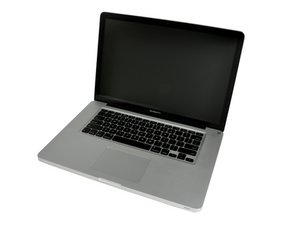
Released June 2012 / Core i7 processor with Turbo Boost / Up to 1 GB GDDR5 Video RAM

SSD Upgrade Gone Wrong...Help

Quickly:

Samsung 850 Evo 500GB Installed.

I used a bootable usb of High Sierra and a sata-usb adapter. I formatted SSD and installed clean OS X High Sierra. Then using Disk Utility Migration I copied all files, apps and other stuff from machintosh HD to SSD. Before I swapped the drives I booted from SSD externally and it worked like a charm. I then swapped the old Mac HD with the SSD and ran disk utility again. I selected Samsung SSD which was now inside my laptop as the startup disk! So I pressed restart and my MacBook Pro will load the full bar but never actually leave that screen. Sat and waited for 3 hours. Tried repair on drive and had no issues. Started again and still it loads the bar and stays at that white screen with the Apple logo(full bar below). I have read all the posts and i’m Not sure if it’s the cable or a faulty SSD.

Mise à jour (13/01/2018)

I am finally able to post my results and solution to my issue. @avanteguarde , Thank you for your help. @joesipaq , Thank you for your help as well. After i received my Sata cable replacement, everything worked like a charm!

已回答! 显示答案 我也有这个问题

这是一个好问题吗?

得分 0
1条评论

I have attempted everything but clean start on my Machintosh HD and then repeating the SSD Upgrade proceedure. I will do this now and post my results on here. In the meantime, does anyone know if my SSD will be discoverable once I have a user and am logged in, because it is not discoverable as external at the moment.

完成的

添加一条评论

2个答案

已选择的解决方案

Your SATA cable may have gone bad.

这个答案有帮助吗?

得分 1

1条评论:

Sata cable that comes with my MacBook doesn’t work with aftermarket SSDs but it is not broken. It works with original HD. The updated cable sold on IFixIt will Work with you aftermarket ssd

完成的

添加一条评论
最有帮助的答案

a) try zapping both the PRAM and SMC

https://thenextweb.com/lifehacks/2017/06...

b) Try holding down "SHIFT" when turning on the computer.

This will clean boot into Safe Mode.

This will try to force the OS X to dump all caches and rebuild kext caches.

Once in Safe Mode, you should be able to restart as normal.

c) you may have a bad Sata cable

https://www.ifixit.com/Story/18977/SATA_...

这个答案有帮助吗?

得分 5

8条评论:

I tried solution a) first. After resetting the PRAM, my computer went into the loading screen and showed me a stop sign alternated with the folder and question mark. Then I reset the SMC and it went back to freezing upon startup. I am trying to boot up in Safe Mode but it will not boot up at all now. Not in disk recovery/utility, not in safe mode, not in any mode. The apple doesn’t even show up now when I start it. I have ordered a new SATA Cable but won’t be here for another 3 Days and I doubt it is the issue. My old HD works fine with the SATA cable.

完成的

Also I just read something that looks like the problem I am having. Corrupt EFI system partition! I just don’t know how to actually reinstall OS X without loosing files, considering I have now managed to get my Mac into recovery after a long hour wait, BUT it says reinstall LION OS, not the current version I have of High Sierra. This is all so messed up. I followed right proceedure and of course my luck is crap. If I reinstall from my bootable flash it will wipe my Ssd and I have a lot of important programs.

完成的

1. Do you still have your original hdd you removed with all your important data on it to try the process over?

2. Generally, when reinstalling OS X, it will keep all your personal data. You have the option to Format your disk with Disk Utility and install new, but that is under a different part of the installer. - I would recommend if you answered yes to #1... Pop in your High Sierra bootable USB and install HS again. It really shouldn't effect your personal files, but its a great idea to have a backup

完成的

@gbilya2, use Internet Recovery. You can reinstall without a format, or simply use Disk Utility to check the drive for permission errors or physical errors.

http://www.idownloadblog.com/2016/02/25/...

完成的

I did both things suggested above and no help. When I tried to reinstall OS X it wouldn’t give me the ssd as a destination. When I tried to do a clean format of the ssd in recovery it wouldn’t let me unmount and kept popping errors. Thus I have now swapped my original HD back in and the disk utility won’t even recognize the ssd plugged in externally.

完成的

显示更多的3条评论

添加一条评论

添加你的答案

Georgi Bilyarski 将永远感激不已
浏览统计数据:

过去 24 小时: 0

过去 7 天: 0

过去 30 天: 2

总计 1,058