
跳转到主内容

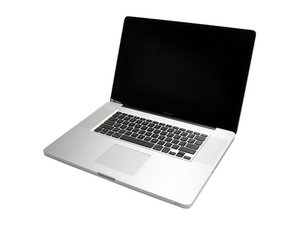
Model A1297 Unibody: Early 2009, Mid 2009, Mid 2010, Early 2011 & Late 2011

Install Mac OS X from Linux

My brother gave me his MacBook Pro but had Linux installed as an OS. How can I get OS X installed on the machine? Do I have to buy a new OS X and boot? Or buy a new SSD hard drive with OS X installed?

回答此问题 我也有这个问题

这是一个好问题吗?

得分 0
添加一条评论

2个答案

最有帮助的答案

If you have one of these Macbook Pros or newer:

  • MacBook Pro (13-inch, Early 2011)
  • MacBook Pro (15-inch, Early 2011)
  • MacBook Pro (17-inch, Early 2011)
  • MacBook (13-inch, Mid 2010)
  • MacBook Pro (13-inch, Mid 2010)
  • MacBook Pro (15-inch and 17-inch, Mid 2010)
  • MacBook Air (11-inch and 13-inch, Late 2010)

Then you can connect straight to the Internet via WiFi or Ethernet to download the latest supported OS X via Internet Recovery.

http://www.idownloadblog.com/2016/02/25/...

这个答案有帮助吗?

得分 3

1条评论:

Make sure you have a fast connection as it will take a while!

完成的

添加一条评论

No you don't need to buy the OS, MacOS is free now. You just need to download the OS installer app. Depending on the year of the Macbook Pro 2009? Sierra 10.12.5 might the best choice to start off.

  1. Get access to another Mac it's just easier.
  2. Get a 8GB or more USB stick.
  3. Download the Mac OS OS installer from the App store.
  4. Then download a app called Install Disk Creator for MacOS. Here's one source: Install Disk Creator.
  5. Go through the steps it give's you and it will create a bootable Mac OS USB stick from the installer app.
  6. Plug it into your system, restart and open Disk Utility to format the drive and then install the MacOS.

Here's a good reference: How to create a bootable macOS Sierra installer drive

这个答案有帮助吗?

得分 2
添加一条评论

添加你的答案

Boitshoko 将永远感激不已
浏览统计数据:

过去 24 小时: 1

过去 7 天: 1

过去 30 天: 10

总计 6,441