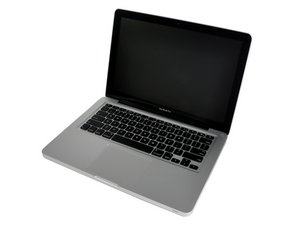

SSD detected but not bootable?
Have a Crucial SSD that was previously in my early 2010 MBP with no issues. I upgraded to a Late 2011. When installed in the HDD port it's not detected at all. When in a housing connected by USB it's not detected during the boot sequence. If I boot from another HDD and plug in the SSD using USB it's detected and readable (but not bootable according to disk utility.



 35
35  338
338  974
974 

5条评论
Just wondering have you used Disk Utility's repair disk function?
由 S W 完成的
Disk Utility said there was an error but I needed to go into recovery mode and repair it. Unfortunately I can't enter recovery mode unless I can boot from the disc. I reformatted and copied the HDD back to the SSD using SuperDuper and still have the same issue. Thanks!
由 Mike Rodgers 完成的
@mrodgers you have a 2011 Macbook Pro, right? You don't need a disk to boot to recovery. You can either use WiFi or an ethernet cable to boot to Internet Recovery Mode.
http://www.idownloadblog.com/2016/02/25/...
由 S W 完成的
Cloning software images what it finds on the old drive to the new one so if the old drive has any issues the are copied over. I don't use cloning software I stick with Apples Migration Assistant. Yes, its slower! But unlike the cloning software its leveraging the check sums within the files to make sure they are not corrupted. Besides the hidden partition is often overlooked so you give up the onboard recovery option.
Refer to @avanteguarde note above to get your system going after you replace the cable. Then use Migration Assistant to copy over your stuff.
由 DanJ 完成的
I had a similar problem whenI replaced my early 2011 logic board with a mid 2012. I even replaced the HD cable but that did not help. The trick was to use an old HDD with MAC OS Sierra, then upgrade it to High Sierra and then the logic board was able to boot from the SSD again. Read this article:
Hard Drive/OS not recognized after logic board replacement
由 Andrea Pastore 完成的