
跳转到主内容
加入维修社区 - 创建账户

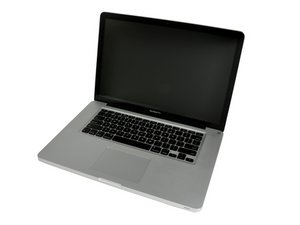
Released October 24, 2011 / 2.2, 2.4, or 2.5 GHz Quad-core Intel Core i7 Processor

My MacBook Pro won't power on

I followed the instructions in this video.

https://www.youtube.com/watch?v=cbX7OwEv...

I unplugged the battery for 30 seconds. When I plug it back in the fans start running and it starts to enter the boot sequence. Within 20 seconds it powers off again and I have to reset it the same way to get it going. But it never stays booted.

The battery indicator light on side lights up all green when I press the button. However system won't boot at all.

Does this simply mean I need a new battery?

已回答! 显示答案 我也有这个问题

这是一个好问题吗?

得分 0
添加一条评论

1个答案

已选择的解决方案

A new battery won't necessarily solve your problem unless you are using a lower power charger as your default one. If you use a 85w charger, which is standard for your machine, your mac should be starting/working correctly regardless of battery state. In case you have the correct charger try first unplugging the battery from the logic board and see if the Mac boots up to desktop. Anything unusual happened lately to your mac ?

这个答案有帮助吗?

得分 1

1条评论:

Nothing unusual. However I noticed the other day the fans were going loud when it wasn't in use. I went back to check it and it had powered off. I will make sure I have the right charger and try running it w/o the battery attached to see if it works better. Thanks for the quick response. Just not ready to spend $2K on a new macbook. :-(

完成的

添加一条评论

添加你的答案

asween16 将永远感激不已
浏览统计数据:

过去 24 小时: 0

过去 7 天: 2

过去 30 天: 7

总计 265