
跳转到主内容

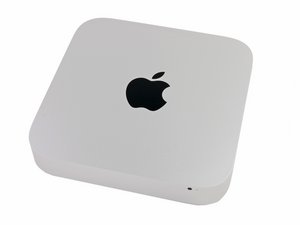
发布于2012年10月23日。酷睿i5或酷睿i7处理器。配备Apple Fusion Drive.

SSD not beeing recognized

Hi

I have just installed a Samsung 850 EVO 250 GB ssd in my Mac Mini (late 2012).

I have created a boot disk on an external Toshiba USB HD.

When I boot the USB HD to install the newest OS Sierra, I cannot see my drive anywhere.

I have checked the cables 10 times and all is a fit. Any ideas?

Update (10/02/2017)

Thank you for your reply.

I am replaceing the internal 5200 RPM HD with the SSD.

Once I put the original drive back in - everything works (it boots the drive).

The external HD with the install partion on it is - unfortunately - just an external HD with not possibility to swap the disks out.

Is there a way of testing if the SSD is faulty? Could it be an issue that I boot from an external HD rather than USB? Could it be that I need to update the firmware?

已回答! 显示答案 我也有这个问题

这是一个好问题吗?

得分 0
1条评论

Are you replacing the HD drive or adding it as a second drive?

完成的

添加一条评论

2个答案

已选择的解决方案

You have a few options here:

Put the SSD back in with your system connected to the internet (ideally via the Ethernet cable connection) lets see if we can get the internet recovery to run. When you boot up press and hold the Option-Command-R or Shift-Option-Command-R keys you should see a globe icon on your screen. Let the system run it may take some time! Depending on your link it could take a good hour to get to the install screen.

The other approach is to create an OS installer thumb drive following this guide. Here we need to have the system running with the old drive so you can prep the thumb drive. Follow this guide: How to create a bootable macOS Sierra installer drive. Then put the SSD back in and then boot up with the installer drive.

If you get this: Startech 2.5" SATA to USB adapter it will allow you to hook up your SSD (or your HD) externally so you can leverage it for the OS installer and also migrate your files over.

这个答案有帮助吗?

得分 1

1条评论:

Thank you for your answers.

I bought a SATA to USB adapter and formatted the drive, reinstalled it - and it worked like a charm. Thank you.

完成的

添加一条评论
最有帮助的答案

What you have done should work. Try it this way. Put the original HD back in there machine. Put the Samsung in the external case. Boot from the internal and use Disk Utilities to format GUID & MacOSX extended and install 10.12 first. Now see if will take High Sierra.

这个答案有帮助吗?

得分 3
添加一条评论

添加你的答案

Christian Madsen 将永远感激不已
浏览统计数据:

过去 24 小时: 2

过去 7 天: 5

过去 30 天: 21

总计 5,114