
 3
3  1
1 Mac Pro wont just boot! + kernel panic
Hello,
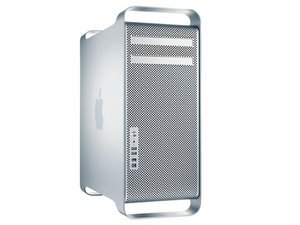
Im trying too fix a mac pro 2008 3,1 3.0 8core. When its starts up it gives a kernel panic.
My first thoughts where that it had a bad hdd. I plugged it in another mac as a slave disk en got all sort of damage reports when using disk utility.
Internet recovery mode
Also when i tried internet recovery it wil not instal en fresh osx.
I got out the old hdd and plugged a new (old) one in. Which was completely erased and format journaled extended.
DVD
So ive tried to boot it with a dvd system disk os x lion (command +c) but its eventually gets a hickup and unfortunately shows a round sign with a stipe. Swap out the dvd drive with another one. same thing. new disk, same thing.
USB
next thing i've tried was to make it boot with a instal usb el captain. But when i startup with alt/option pressed it doesn't recognize the usb. and that sucks big time.
Ive cleaned the whole system which was pretty dusty and dirty.
I'm not a mac specialist and little bit out of options. I just cant get this sucker to run which i really want!!
Help/advise please!
In other comments i found a guy named Dan (@danj) and hope you can help me out.



2条评论
Do you have the original system installation DVD for this machine?
由 mayer 完成的
No i wish. I bought my mac at an E-Waste business down the street from my house i forgot to ask them for the cd's. shortly affter the business closed down.
on the topic of kernel panic try disabling sip
Follow these steps to disable SIP:
Restart your Mac.
Before OS X starts up, hold down Command-R and keep it held down until you see an Apple icon and a progress bar. Release. This boots you into Recovery.
From the Utilities menu, select Terminal.
At the prompt type exactly the following and then press Return: csrutil disable
Terminal should display a message that SIP was disabled.
From the menu, select Restart.
also try disabling kexts.
由 Tom 完成的