
跳转到主内容
加入维修社区 - 创建账户

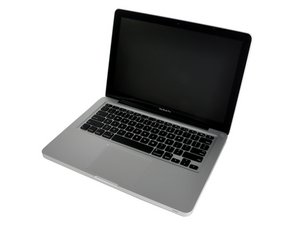
MacBook Pro 13'' Mid-2010 won't turn on

Hi crews,

A friend of mine asked me to look into his dead MBP because the Apple care here in Germany refuses to repair this legacy device. It had the well-known "swollen battery issue" that destroyed the trackpad.

I replaced the swollen battery and carefully cleaned up the computer (there was a lot of dust inside). I didn't notice any trace of liquid damage. Everything looks okay.

The problem is that the computer doesn't turn on.

I tried the following steps:

  • SMC reset (disconnect the power supply, remove the battery, hold on the power button for 20 seconds). Then press the power button. No signs of life.
  • disconnect the display, the keyboard and try to short the power pads. No signs of life either.

The logic board seems to be dead. The battery charger does work as expected.

Is there anything I could try out except the above mentioned steps before I throw the logic board into the trash?

已回答! 显示答案 我也有这个问题

这是一个好问题吗?

得分 1
添加一条评论

1个答案

已选择的解决方案

Use a multimeter and test the mag-safe adapter, also examine the mag-safe board for output:

Are you getting a green light on the adapter? If it has a battery test button, what is it showing.

MacBook Pro 13" Unibody Mid 2010 DC-In Board Replacement

这个答案有帮助吗?

得分 4

5条评论:

Are you getting a green light on the adapter?

Yes, I do.

If it has a battery test button, what is it showing.

It shows that the battery is fully loaded (all eight LEDs are green).

完成的

Use a multimeter and test the mag-safe adapter.

I've just tried out another magsafe-adapter (I own several ones). Still no signs of life...

完成的

Try this type of SMC reset:

Shut down your Mac.

Unplug the MagSafe or USB-C power adapter from your computer.

Using the built-in keyboard, press Shift-Control-Option on the left side of the keyboard, then press the power button at the same time. Hold these keys and the power button for 10 seconds.

Release all keys.

Reconnect the power adapter.

Press the power button again to turn on your Mac.

完成的

Dear mayer,

I tried everything you listed above plus some of the "advanced" tricks. The board is definitely dead - it doesn't ever start in the SMC bypass mode.

I'm going to check fuses for sure but the chances that I'll be able to fix this board at home are very low.

Anyway, thank you very much for your help!

完成的

Thank you very much!!! I just did an update on my ‘10 for MS Word and then manually restarted it after I was promoted to, and had closed all of the open apps. Nothing happened. I tried to power up again. Nothing. I had it plugged in for the update so I knew the battery was good. I tried a few more times as I read this page. Dead logic board kept piping into view. Then I saw your post. It worked. But it’s acting very strange. The screen is slow and choppy and the fan came on 100% upon entering my password. I opened disc utility to attempt first aid. No dice. It just froze up totally. I later started it up again, fan was 100% and it never did make it to the log in page. A sad day. I’ll report back with any measurable progress. But at least your trick worked to be able to power it up so I can attempt command+R or some other start up combination. Thank you much sir. @mayer

完成的

添加一条评论

添加你的答案

Max Poliakovski 将永远感激不已
浏览统计数据:

过去 24 小时: 0

过去 7 天: 2

过去 30 天: 26

总计 15,339