
维修指南
通过我们的分步骤指南了解如何解决任何问题。
应用程序
你的口袋维修助手
修复机器人
友好的人工智能维修助手
可修复性
了解为什么可修复产品有意义。
拆解
最新电子设备内部,先睹为快。
论坛
分享解决方案并获得朋友的帮助。
寻找您的社区
查找团队、活动和同行修理工。
伸出援手
帮助所有人免费获取维修知识。
Right to Repair
了解维修权利运动以及如何成为倡导者。
iFixit 精选
我们终生保证的优质零件和工具。
工具
购买我们精选的精密工具。
配件
获得我们有质量承诺的配件。
iPhone 电池
电池经过测试,质量有保证,还提供一套所需的工具。
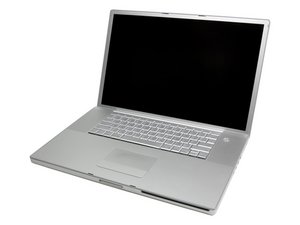
A1013、A1052、A1085或A1107/1440x900屏幕分辨率
Gary Chisolm @garychisolm
声誉积分: 37
1
发帖于: 2009年12月28日
A cd was already in the cd drive and another cd was put in the same cd drive how can i remove them
这是一个好问题吗?
Ben Eisenman @beneisenman
声誉积分: 87.8千
161
82
216
Step 1 (if you are truly lucky): Boot up while holding down the trackpad button to eject the CDs.
Step 2: Access the drive itself, remove the cover, and remove the CDs.
Good luck!
这个答案有帮助吗?
ozarkana @ozarkana
声誉积分: 1
4
3
发帖于: 2010年1月28日
I have had this problem with a CD with a stick-on label. Answer:stick your finger nail into the CD slot and pry the case up gently at the same time you hit the "eject" button or command- E. Works for me!
过去 24 小时: 1
过去 7 天: 4
过去 30 天: 35
总计 4,379
