跳转到主内容

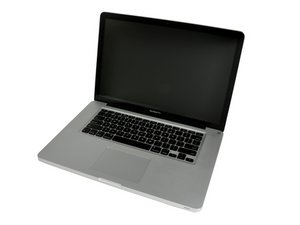
Released October 24, 2011 / 2.2, 2.4, or 2.5 GHz Quad-core Intel Core i7 Processor

Is it okay to replace HDD to SSD and also the battery?

Hi all,

I don't know if this question is silly but I'm planning on changing my default HDD that comes with my laptop with a Crucial MX300 SSD in a couple of days and I was wondering if it would also be okay to replace the battery straight after the HDD replace before putting the back cover on? Since my current battery has had the "Service Battery" prompt for a few days now.

Cheers

已回答! 显示答案 我也有这个问题

这是一个好问题吗?

得分 0
添加一条评论

1个答案

已选择的解决方案

I'd do one thing at a time, so that if you do have a problem, you know where to look.

On the battery, I'd download and run Coconut Battery to get a much better idea of its status.

http://www.coconut-flavour.com/coconutba...

Are you currently having any issues with your old hard drive. (the hard drive cables on this machine are known to have issues.

When doing upgrades and repairs, do the problem first, then the upgrade. Just don't put the screws in the bottom cover so that getting back into it is no issue.

这个答案有帮助吗?

得分 4

2条评论:

Thanks for your reply!

I have coconut battery installed on my laptop and its status tells me "Check Battery." It's capacity is currently 78.5% (5419/6900 mAh) of the original and doesn't last as long as it shuts down when the battery gets to around 25-30% charge.

Additionally, there's no issues with my old hard drive, none that I know of so far as it works just fine. I merely wanted to upgrade it to an SSD to boost performance really. Whilst I'm in the matter of SSD, would you know by any chance if I should have TRIM enabled as soon as I have the SSD installed?

Also, if I do run into trouble with the hard drive cable - I'm quite unsure if my machine is eligible to have it replaced for free by Apple?

I appreciate your help!

完成的

Cacles don't cost that much and go to the 2012 cable.

完成的

添加一条评论

添加你的答案

smberd 将永远感激不已
浏览统计数据:

过去 24 小时: 0

过去 7 天: 3

过去 30 天: 3

总计 99