跳转到主内容
加入维修社区 - 创建账户

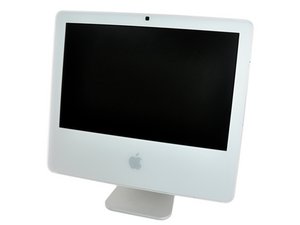
1.83 GHz Core Duo 处理器 或 1.83, 2, 或 2.16 GHz Core 2 Duo处理器 A1208 (EMC 2104/2110/2114/2124)

iMac won't boot I get the flashing? Folder

My iMac won't boot I get the flashing? Folder or nothing but a gray screen with the mouse cursor when I try to boot in safe mode. I've tried every boot option suggestion that I've found but end up with the flashing? Folder. Should I just assume that I need to replace the hard drive? And I don't have the original boot up disks is it possible to get replacements?

Update (10/16/2016)

Block Image
Block Image

I apologize for the delay & I appreciate all the help that I can get. Thank you so much.

已回答! 显示答案 我也有这个问题

这是一个好问题吗?

得分 0
2条评论

Please give us the Axxx number and EMC number from the bottom of your stand.

完成的

Here's your systems specs: iMac 17" 2.0 GHz Core 2 Duo (late 2006)

完成的

添加一条评论

2个答案

已选择的解决方案

Well, to start with your drive will need replacing if you want to continue to use this system. The blinking folder with a question mark implies the drive has problems. But, before we go there you do have to think through what your plans are here.

This system is quite limited. The highest OS you can run on it is OS-X Lion (10.7). The max RAM it can support is 4 GB. The Hard drives SATA I/O is SATA I (1.5 Gb/s) which limits you on what will work as a replacement drive.

If you are just planing on using this system for basic web surfing or writing you should be fine. But most apps available today won't run on this older system. Some web sites won't respond as they use newer standards your system can't deal with. You'll also need to be careful as Apple has long since stopped offering OS updates and you do run the risk of malware.

Replacement CD: Lion CD

The best replacement drive: Seagate Desktop SSHD. This is one of the few 3.5" drives which offer auto SATA speed sense Spec sheet. So it will work in your systems slower SATA I (1.5 Gb's) interface. I wouldn't go crazy here, a 1 TB drive will be just fine.

Lastly, heres the IFIXIT guide to replace the drive: iMac Intel 17" Hard Drive Replacement

这个答案有帮助吗?

得分 1
添加一条评论
最有帮助的答案

This is either a failed/failing hard drive or a Sata cable. Either way you'll have to open the machine up, and isolate the issue. If you provide the serial number of your machine, I can help you find parts numbers for the problem areas.

这个答案有帮助吗?

得分 1

1条评论:

do not do this till we know what you machine identification is. You can also input your serial number here (again from the bottom of the stand) and tell us what it is: http://www.everymac.com/ultimate-mac-loo...

完成的

添加一条评论

添加你的答案

esmeec 将永远感激不已
浏览统计数据:

过去 24 小时: 0

过去 7 天: 1

过去 30 天: 6

总计 595