
跳转到主内容

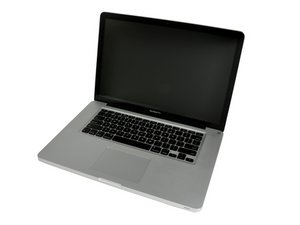
Released October 24, 2011 / 2.2, 2.4, or 2.5 GHz Quad-core Intel Core i7 Processor

Re-Install OS error to newer version OS

Hi all,

I want to re-install my OS on my MacBook. I went into Disk Utility using the command key and R. Erased the harddisk and tried to install the new OS (10.10) but I got this message after entering my Apple Id: this item is temporarily unavailable.

I tried the internet recovery using command+option+r and this worked, but it was installing OS X Lion. I wanted the newer version.

When I now try to recover using command+R, I automatically come into internet recovery.

How can I install the newest OS X for my laptop?

Thanks in advance!

已回答! 显示答案 我也有这个问题

这是一个好问题吗?

得分 0
5条评论

What was the reason you wanted to do a re-install? You may have a hardware issue, like a bad HD/IR cable. Do you have access to another Mac? An external hard drive or flash drive on which you can store an installation download?

完成的

@mayer The mac was working good but I am using a mac os for the first time so I wanted to try to format it. It is now installing OS X Lion, but it says 10 hours to go...?!

完成的

How fast is your internet link and where are you on the big blue marble? You maybe hitting the limits of the connection which is just very slow.

完成的

I plugged in an ethernet cable and it was really fast. Now OS X Lion is installed. I want a newer version. I saw a new version Sierra is out, but should I use this OS or use Yosemite?

完成的

Here's your systems specs: MacBook Pro 15" 2.2 GHz i7 (Late 2011)

完成的

添加一条评论

2个答案

已选择的解决方案

Your system can support the most current: macOS Sierra 10.12. But before you make this jump you should make sure your HD is healthy and has enough free space (as well as the SATA cable) and you have enough RAM in the system.

Once you are sure you're ready all you need to do is launch the App Store app there you'll find the macOS Sierra banner at the top of the stores front page. Click on it and download the OS installer. But, before you install it (cancel the install process) I would recommend you make a copy.

I would also recommend you first prep up a USB thumb drive (16 GB) so its bootable. You'll need to run Disk Utility to prep the USB thumb drive with GUID partition map and formatted with Mac OS Extended (Journaled). Once done download this tool: MacDaddy - Install Disk Creator, it will install the OS installer onto he USB thumb drive so you can boot up under it to do a clean install.

Your system will go though a few reboots doing the install process. One of them will be updating the systems firmware so do make sure your MagSafe adapter is plugged in and give your system time to go though the process.

这个答案有帮助吗?

得分 2

2条评论:

I downloaded the sierra os and installed install disk creator. When I selet my usb drive and press to write the os to my drive I get: an error occurred.

完成的

Did you use Disk Utility to delete the FAT32 or exFAT partition these come formatted with and then prep the drive with GUID and setup a Mac OS Extended (Journaled) partition?

完成的

添加一条评论
最有帮助的答案

Probable Hard Drive/IR cable damage. Replace with the one from the 2012 model.

MacBook Pro 15" Unibody (Mid 2012) Hard Drive Cable

Replace a damaged cable connecting the hard drive to the logic board in your laptop.图片

产品

MacBook Pro 15" Unibody (Mid 2012) Hard Drive Cable

$19.99

这个答案有帮助吗?

得分 2

1条评论:

The macbook was working fine until I tried to format it.

完成的

添加一条评论

添加你的答案

Uas 将永远感激不已
浏览统计数据:

过去 24 小时: 0

过去 7 天: 0

过去 30 天: 4

总计 1,646