跳转到主内容
加入维修社区 - 创建账户

MBP A1278 doesn't switch on - Maybe faulty component on LogicBoard?

Hi all!

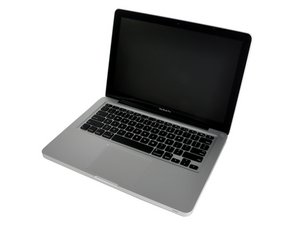
I've got a problem with an MBP A1278, C2D 2.66 of a friend of mine.

She spilled tea onto the keyboard and the device did neither switch on, nor charge or anything. Now I've cleaned the board with an alcohol-bath and it started charging, but still does not switch on.

In my view, the component that can be seen on the pictures (4.7uH 1018AW) is the first wrongdoer.

LogicBoard #: 820-2879-B

What do you think and would you do?

And where do I get this faulty part (best option: directly from Germany)?

Attached, some pictures from the (in my view) faulty component:

Block Image
Block Image
Block Image
已回答! 显示答案 我也有这个问题

这是一个好问题吗?

得分 0
添加一条评论

2个答案

已选择的解决方案

When cleaning, you need to remove everything including RAM sticks, fans, heat sink... anything detachable from the main board. Drying thoroughly is also necessary.

Then you connect one fan, the small MagSafe board (where the charger attaches), and you plug in the charger. Must be original charger, 60W ok in your case. In case of doubt, use an 85W adapter.

So plug in the charger while making sure the pins are properly aligned otherwise you can fry your onewire circuit. After you plug in, you should see a green light and the fan spin. Unplug power, attach battery, repeat.

If now you have green then orange light, the board is basically starting and charging.

You can test next if a component is shorted and preventing it from starting. Again, disconnect battery and power, put board back in the case, and attach keyboard, then battery then power (ALWAYS disconnect power charger and battery between tests). Next attach the screen, also disconnect power and battery until you have it plugged in. If the green and orange lights don't turn on after you plug a certain component, you can assume it is causing a short and preventing the laptop from restarting. Report back.

I would assume the keyboard is going to be bad because tea (probably sugared tea) tend to do that to Mac keyboards. In which case you'll need to purchase a replacement and replace it. Not too difficult, but a pain in the a** because of the 52+2 screws that hold in place.

这个答案有帮助吗?

得分 2

7条评论:

Thanks for your reply!

I already did what you were suggesting beforehand...

When you put in the charging cable, the light turns from green to orange, and when the battery is fully loaded, the light turns to back to green.

If you push the power button on the key, the fan starts to spin, but the display doesn't work. (Can't remember whether the chimes work, I think they didn't).

I will try to detach the display cable on the logicboard when starting in next time.

Obviously, before changing the keyboard itself, I would like to know whether the damaged component could cause that problem.

I've seen on the schematics that it is marked as "CRITICAL", don't know what that means in this case...

完成的

It is critical but I think it is just dirty, not damaged. You can brush it with IPA or acetone and a soft toothbrush. If the smudge goes away, and you find no traces of corrosion on the two legs/pads connecting to the board, then I don't think there's an issue.

BUT this is still premature. Keep everything for now, including RAM, fans, and heatsink. Disconnect keyboard if you have not yet, and try to boot. To do that, just plug in the charger. This should prompt it to start up in the absence of a keyboard.

完成的

Sorry for my late reply... to be honest, I put the MacBook away because I was tired of it.

I hope you are still reading this or get a notification that I'm replying you now.

Just took the MacBook out of the closet because of boredom and did what you were writing:

>> When cleaning, you need to remove everything including RAM sticks, fans, heat sink... anything detachable from the main board. Drying thoroughly is also necessary.

Done.

>> Then you connect one fan, the small MagSafe board (where the charger attaches), and you plug in the charger. Must be original charger, 60W ok in your case. In case of doubt, use an 85W adapter. So plug in the charger while making sure the pins are properly aligned otherwise you can fry your onewire circuit. After you plug in, you should see a green light and the fan spin.

Did that... the charger turned green, but no fan spin.

完成的

>> Unplug power, attach battery, repeat. If now you have green then orange light, the board is basically starting and charging.

Did that, too... the charger is green at first, but then switches to orange. Unfortunately, again no fan spinning.

>> Again, disconnect battery and power, put board back in the case, and attach keyboard, then battery then power (ALWAYS disconnect power charger and battery between tests). Next attach the screen, also disconnect power and battery until you have it plugged in. If the green and orange lights don't turn on after you plug a certain component, you can assume it is causing a short and preventing the laptop from restarting. Report back.

Done... I attached each component one after another and observed what the charger light is doing. Each time it changes from firstly green to orange.

I then tried to switch it on (normal power button!). You can hear that the hard drive starts to spin, but no screen activity.

完成的

Afterwards, I tried to reset the SMC (Shift, Ctrl + Alt) and the battery light changes from orange to green, and after a few seconds back to orange. So the reset works, and the MacBook tries to start, but:

a) HDD spins

b) Fan doesn't spin

c) No display activity...

I'm afraid I don't know anymore what to do now...

完成的

显示更多的2条评论

添加一条评论

Sorry for my late reply... to be honest, I put the MacBook away because I was tired of it.

I hope you are still reading this or get a notification that I'm replying you now.

Just took the MacBook out of the closet because of boredom and did what you were writing:

>> When cleaning, you need to remove everything including RAM sticks, fans, heat sink... anything detachable from the main board. Drying thoroughly is also necessary.

Done.

>> Then you connect one fan, the small MagSafe board (where the charger attaches), and you plug in the charger. Must be original charger, 60W ok in your case. In case of doubt, use an 85W adapter. So plug in the charger while making sure the pins are properly aligned otherwise you can fry your onewire circuit. After you plug in, you should see a green light and the fan spin.

Did that... the charger turned green, but no fan spin.

>> Unplug power, attach battery, repeat. If now you have green then orange light, the board is basically starting and charging.

Did that, too... the charger is green at first, but then switches to orange.

>> Again, disconnect battery and power, put board back in the case, and attach keyboard, then battery then power (ALWAYS disconnect power charger and battery between tests). Next attach the screen, also disconnect power and battery until you have it plugged in. If the green and orange lights don't turn on after you plug a certain component, you can assume it is causing a short and preventing the laptop from restarting. Report back.

Done... I attached each component one after another and observed what the charger light is doing. Each time it changes from firstly green to orange.

I then tried to switch it on. You can hear that the hard drive starts to spin, but no screen activity.

Afterwards, I tried to reset the SMC (Shift, Ctrl + Alt) and the battery light changes from orange to green, and after a few seconds back to orange. So the reset works, and the MacBook tries to start, but:

a) HDD spins

b) Fans don't spin

c) No display activity...

I'm afraid I don't know anymore what to do now...
这个答案有帮助吗?

得分 0
添加一条评论

添加你的答案

Daniel Bussoli 将永远感激不已
浏览统计数据:

过去 24 小时: 1

过去 7 天: 1

过去 30 天: 3

总计 237
