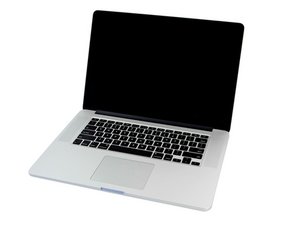

Backlite on keyboard not working?
I have tried the preferences etc, but cant get the backlight to work on the keyboard. Apple recently did a logic board repair, could that have anything to do with it?

声誉积分: 41.1千
 15
15
 78
78
 90
90
Yes, they could have plugged it wrong or not at all. Find the iFixit guide for your model, that explains how to disassemble the keyboard. Just don't remove anything. Only look for the backlight flat cable and plug it in or reseat it.
EDIT: Step 27 of this guide.
Better yet, take it to the Apple Store where they fixed your laptop and have them correct the issue, as trying to repair it yourself may damage it and/or void the warranty.
这个答案有帮助吗?
Thanks Rany for answering my question. I couldn't find the guide that showed me the keyboard for the Late 2013 MacBook Pro. I don't see it on the list. The Teardown doesn't show the topside Keyboard area, that I could find.
Step 27 of this guide.

声誉积分: 2.7千
12
6
4
Unsecured the latch and pull the circled connector cable (as shown in pic) out gently and insert back in. Secure the latch. If didn't work, ask Apple to replace it. They are obliged to if it was their LB replacement job. Hope this helps.

这个答案有帮助吗?
Nope , that's not the backlight cable.
过去 24 小时: 0
过去 7 天: 1
过去 30 天: 3
总计 129
