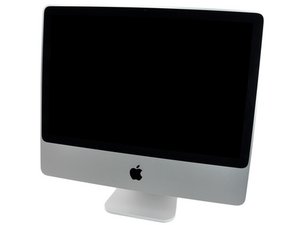

How to reinstall OSX after HDD replacement?
I am having issues reinstalling osx on a new HDD. I feel like i've tried everything. I'm not sure that I have the right disc? Do i need to preformat the HDD?

声誉积分: 689.2千
 3.7千
3.7千
 1.1千
1.1千
 2.6千
2.6千
Mac OS extended (journaled) is correct. Partition it GUID. Please give us the make and model number of the drive and make sure it is backward compatible.
这个答案有帮助吗?

声誉积分: 67
3
Which disc do you have? What have you already tried? You need to insert your disc on boot and hold the alt key, then select the instalator, then follow the instructions on screen. You might want to try formatting your HDD in the HFS+ Journaled format.
这个答案有帮助吗?
I have put the disc and just let it boot to the disc without hitting any buttons, and I've tried the Alt + startup combo and selected the install disc. it's the grey disc. I just tried another HDD. formatted it in Mac OS extended (journaled) reboot, still says cannot install on this disk.
It immediately after selecting english says OS X cannot be installed to this computer
Is your partition table of your drive set to GUID instead of MBR? You may need to do so, if you are using DiskUtility it should be under one of the settings buttons when formatting, see this article for help:
I'm having the same issue, except i dont have an installation disk or another mac to create an installation USB. Just receive blank white screen and no keyboard holds seems to do anything.
eric If you want a ham and cheese sandwich, you first have to have some ham and cheese and bread. Order a 10.6 Snow Leopard Retail DVD off of eBay. You will then have tools to test the current drive, possibly repair it and the means to install a basic system,
过去 24 小时: 0
过去 7 天: 1
过去 30 天: 2
总计 277
