
跳转到主内容
加入维修社区 - 创建账户

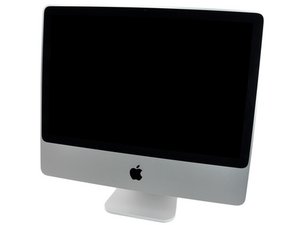
Model A1224 / Mid 2007 and Early 2008 / 2, 2.4, or 2.66 GHz Core 2 Duo processor

Don't know what to fix

So I've got this 20 inch iMac from a friend. He took it to the Apple Support, because after a lightning strike into the house it don't work anymore. They took out the harddrive, which was fine and all the data was fine as well. Then they said, they don't know whats wrong with the iMac, so he just bought a new one, because he wanted to buy a new one anyway.

So here is whats going on: When I start it, everything starts: Hard Drive, the Fans, the DVD Combo is checking if there is a disk, and even the Mac start up sounds comes, but nothing happens - the screen is staying black and the hard drive is turning on, but nothing is booting or something like this.

So I thought, may be its the display, so I used the mini DVI Adapter to use an external Display, but the Display doesn't show anything.

So, I thought, may be its the RAM. So I took out one RAM, but its still the same - tried the other one... same effect. And when I start it without any RAM, it's beeping (of course, this makes sense). So the mainboard is somehow getting, that there is no RAM, so it can't be completley dead, right?

But... in the end,... I think the mainboard is dead, what do you guys think? What could I try next???

And other question... if you think its dead, is it possible to get an adapter for the internal display, so I can but a raspi 2 inside the iMac???! Did you know if anyone ever tried it before?

Thanks, and greetings from Germany

Chris

已回答! 显示答案 我也有这个问题

这是一个好问题吗?

得分 1
添加一条评论

1个答案

已选择的解决方案

There are diagnostic lights to the right of the RAM slots. Lean the display back and boot the machine and observe and report your findings. Use this guide to free the display but don't take it off yet: iMac Intel 20" EMC 2133 和 2210 显示面板更换

UPDATE

LED 4 - Indicates that the computer and the LCD display panel are communicating. This LED will be ON when the computer is turned on and video signal is being generated. If the LED is ON and there is no image on the LCD display panel, the LCD display panel or inverter might be installed incorrectly or need replacement.

I've replaced about 4 of the inverters on this 2007 model successfully.

Here's how: iMac Intel 20" EMC 2133 and 2210 Inverter Replacement

Apple part# 922-8204

iMac Intel 20" EMC 2133 and 2210 显示面板图片

指南

iMac Intel 20" EMC 2133 和 2210 显示面板更换

难度:

中等

5 - 20 minutes

iMac Intel 20" EMC 2133 and 2210 Inverter图片

指南

iMac Intel 20" EMC 2133 and 2210 Inverter Replacement

难度:

中等

这个答案有帮助吗?

得分 2

8条评论:

When its plugged it, just the first Light is on, when I switch it on, Light 1, 2 and 3 are on, Light 4 is off.

完成的

ok cool, that sounds about nice... inverters are about 10-30 eur on ebay, i think I'm going to try this.... thanks!!

完成的

Get a new one and not a used!

完成的

Ok I will do.... but one last question... there is nothing I can try with the inverter cables ? That they are may be matched wrong? Or is there a test I can try if its really the inverter and not the display that is broken?!?

完成的

I don't think they can be matched wrong. I do try to remember to mark them with a sharpie. One one i"ll draw one straight line across and two on the other.

完成的

显示更多的3条评论

添加一条评论

添加你的答案

schlotzomat 将永远感激不已
浏览统计数据:

过去 24 小时: 0

过去 7 天: 1

过去 30 天: 5

总计 243