
跳转到主内容

Any experience with removing moisture from behind retina a screen?

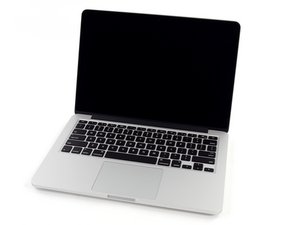
I spilled water on my MacBook. Fortunately after a drying and cleaning treatment everything is working again, but some moisture remained behind the retina screen causing bright stains when switched on.

Does anybody have a tip? I want to try everything before paying for an expensive new screen. I read that turning both fans to maximum speed for a day or so can make the moisture evaporate, but this post concerned a 2008 "ordinary" macbook screen.

Looking forward to your answers!

A

已回答! 显示答案 我也有这个问题

这是一个好问题吗?

得分 0
添加一条评论

1个答案

已选择的解决方案

Probably won't work. All of the Retina Display MacBook Pro models use similar -- and effectively "sealed" -- aluminum and glass case designs of uniform thickness.

The stains will not go away they are likely damaged (possibly corroding) LED's. Start saving now for the replacement display unit. Use the current one until you are no longer able to do so, then replace the unit.

You've learned a valuable lesson about proximity of liquids and laptops.

If this answer is acceptable please remember to return and mark it.

这个答案有帮助吗?

得分 1
添加一条评论

添加你的答案

Aafke 将永远感激不已
浏览统计数据:

过去 24 小时: 0

过去 7 天: 1

过去 30 天: 7

总计 1,236