
跳转到主内容

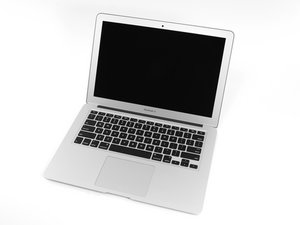
The larger of Apple's MacBook Air laptops featuring dual microphones and 802.11ac Wi-Fi connectivity.

Backlight doesn't work after LCD replacement.

I had a cracked LCD screen. Prior to disconnecting the LCD cables the backlight worked fine. I replaced the screen but since then the backlight doesn't work. I confirmed the backlight cable and LVDS cable are securely attached. What are the possible causes?

已回答! 显示答案 我也有这个问题

这是一个好问题吗?

得分 -1
1条评论

Did u get this fixed ??

完成的

添加一条评论

2个答案

已选择的解决方案

Blown fuse/controller for the backlight. This is not a DIY repair unless you work with electronic component replacement on a regular basis. Logic board soldering requires special tools, solder & lots and lots of practice.

Follow the tag at right for more information.

If this answer is acceptable please remember to return and mark it.

这个答案有帮助吗?

得分 1

3条评论:

Is there a way to confirm this visually before taking it in?

完成的

Kimberly, if you have a multimeter you could check the fuse for continuity.

完成的

Where is the fuse?? Location

完成的

添加一条评论

Check your backlight cable ... I installed mine the way the cable was positioned and best I got was black screen with faint apple symbol .....

But turns out I had it in backwards ... Was very awkward to flip cable and install bit that was it , try that just for !@#$% and giggles

这个答案有帮助吗?

得分 1
添加一条评论

添加你的答案

Kimberly 将永远感激不已
浏览统计数据:

过去 24 小时: 0

过去 7 天: 1

过去 30 天: 1

总计 405
