跳转到主内容
加入维修社区 - 创建账户

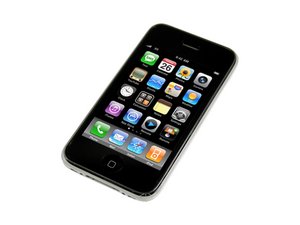
iPhone 3G 的改进版本,具有更快的处理速度。该设备的维修与 3G 类似,需要简单的螺丝刀和撬具。型号 A1303/8GB、16GB 或 32GB 容量/黑色或白色塑料后盖。

Having difficulty connection home button flex cable

I'm trying to connect the flex cable but it just won't slide in but if I try it with the old one I can get it to fit in. Is there any easy way to make it slide in or hold it on a specific angle?

Update

actually its not the home button flex.. it's a ribbon cable, 1 of the 3 at the top of the display assembly, but I can't get it to slide in properly.. is it either the ALS or Proximity sensor? that's my guess

已回答! 显示答案 我也有这个问题

这是一个好问题吗?

得分 -1
添加一条评论

1个答案

已选择的解决方案

Hi Patrick,

I suppose you are talking about ribbon cable #3 (see here; step 6), since you are having problems with sliding it in.

Well, here is what I would do. First, I would compare the old ribbon cable with the new one. Is there any difference in regard to the type?

Second, when you try to slide in the ribbon cable, hold the LCD/Digitizer in an angle of about 60 degrees with your left hand (if you are right handed). By doing this, you release the tension of that ribbon cable. Now, take some tweezers (right hand) and carefully slide this ribbon cable into the connector in an angle of about 10 degrees until you feel a resistance. The cable should now be in the position as seen here:

Block Image

Finally, flip down the tab. You might want to do that with a match or opening tool in your left hand (thumb-index finger grasp).

Steffen

这个答案有帮助吗?

得分 1
添加一条评论

添加你的答案

Patrick Lee 将永远感激不已
浏览统计数据:

过去 24 小时: 0

过去 7 天: 1

过去 30 天: 5

总计 257