
 1
1 MacBook Pro Not Powering On (Possible Keyboard Cable Issue)
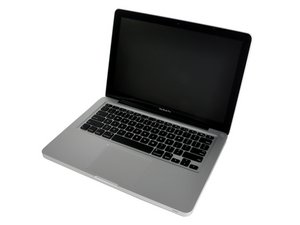
MacBook Pro 13" A1278 mid 2009
So, my brother gave me this MacBook Pro that his girlfriend had spilled wine on and ruined the keyboard and trackpad. It worked fine with an external keyboard & mouse, however I'm not about that life so I decided to purchase a new upper case. I followed the installation instructions, and everything went well except for these two things:
1) I broke off the subwoofer connector with the spudger. I thought I was moving the wire but I actually ripped off the entire housing that it slides into. Oops!
2) I CANNOT, repeat, CANNOT get that keyboard ribbon cable to slide in all the way. There's still some silver sticking out that I can see. I've tried pulling it in with scotch tape, pushing it in with my fingers, pushing it in with an eraser, leveraging it up with a spudger and pushing it in...NOTHING WORKS!
So, the problem is the computer doesn't even power on now. The battery indicator tells me that the battery is at full charge and when I plug in the power cord, it lights up green. Any ideas on what I can do? I'd really like this thing to work--my old DJ computer broke and I'm out of work until I fix this, so time is of the essence. Thanks!

 3.7千
3.7千  2.6千
2.6千 